Wordela is a dynamic, continuously evolving platform. Backed by a dedicated team of engineers, educators, curriculum specialists, and UX designers, we’re committed to delivering meaningful updates that enhance both teaching and learning. Here’s what’s new:
What’s New
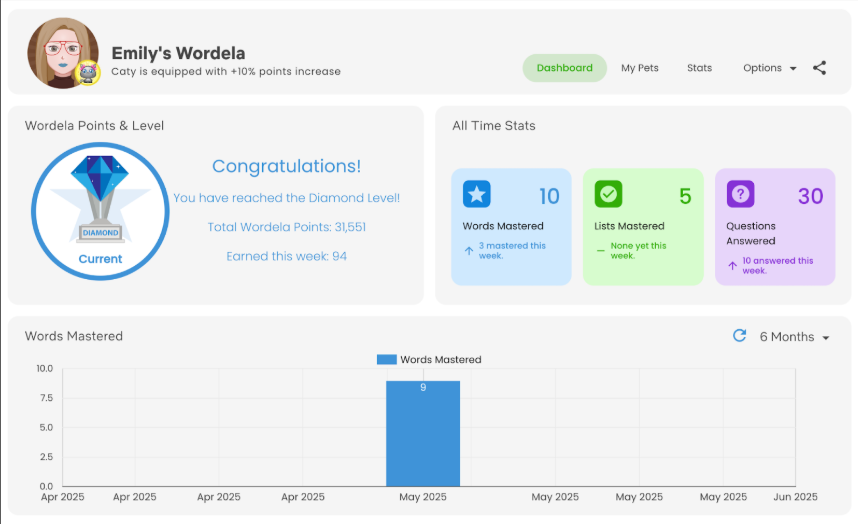
Wordela Profile Chart Update
The Learning Focus chart has been replaced with an All Time Stats chart showing weekly activity, total words mastered, word lists completed, and questions answered. The Learning Time chart is now a Words Mastered chart for clearer progress tracking.
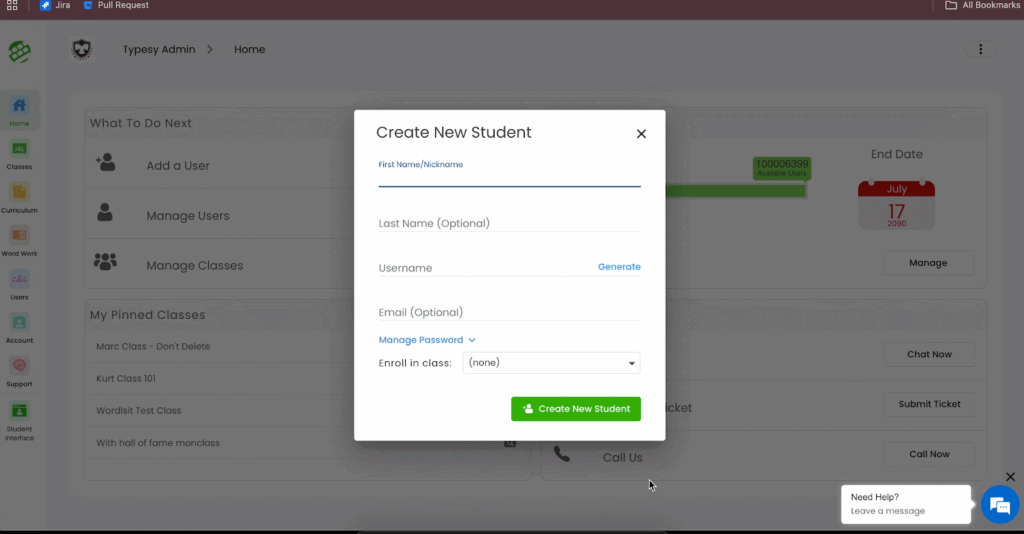
EDU Add New User Refinement
The user creation process now features an improved, streamlined interface, with username generation enabled before account creation for faster and more efficient onboarding
Word Screen Category Cards
The Word screen now features a significantly improved interface for browsing word list categories like Adult Learning, Grades 1–10, Test Preparation, and Standards Aligned—making navigation clearer and more intuitive.

Minor Update to the Mastered Word List Screen
New Update for vocab finish screen:
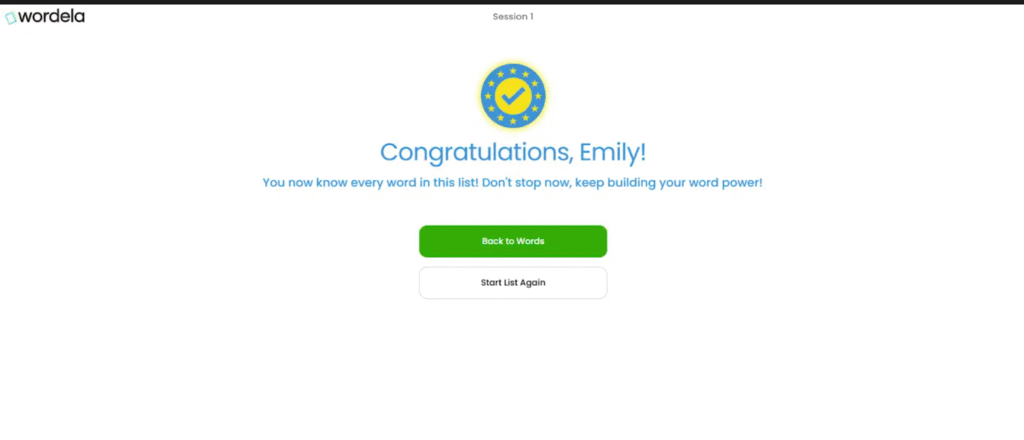
The vocab finish screen now displays an updated message:
“You now know every word in this list! Don’t stop now, keep building your word power!”
Additionally, the Start List Again button now resets only the current activity, without affecting progress in other vocab activities. These adjustments provide clearer feedback and reduce accidental resets, keeping learners motivated and in control.
Minor UX Updates
Show image Button on Wordela Learn Activities
- A new Show Image button is now available only for Multiple Choice and Spelling activities.
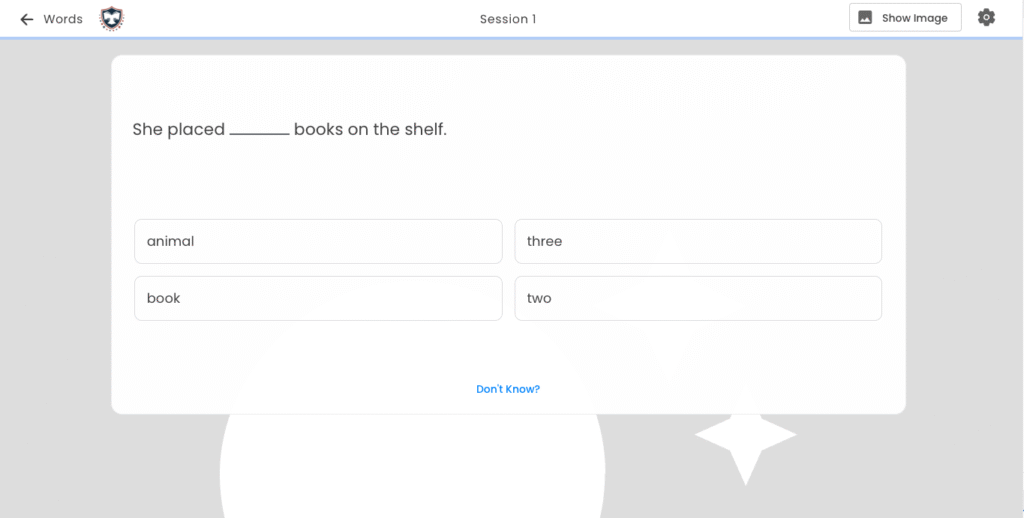
- When clicked, it initiates a 3-second countdown before showing a faded image in the background.
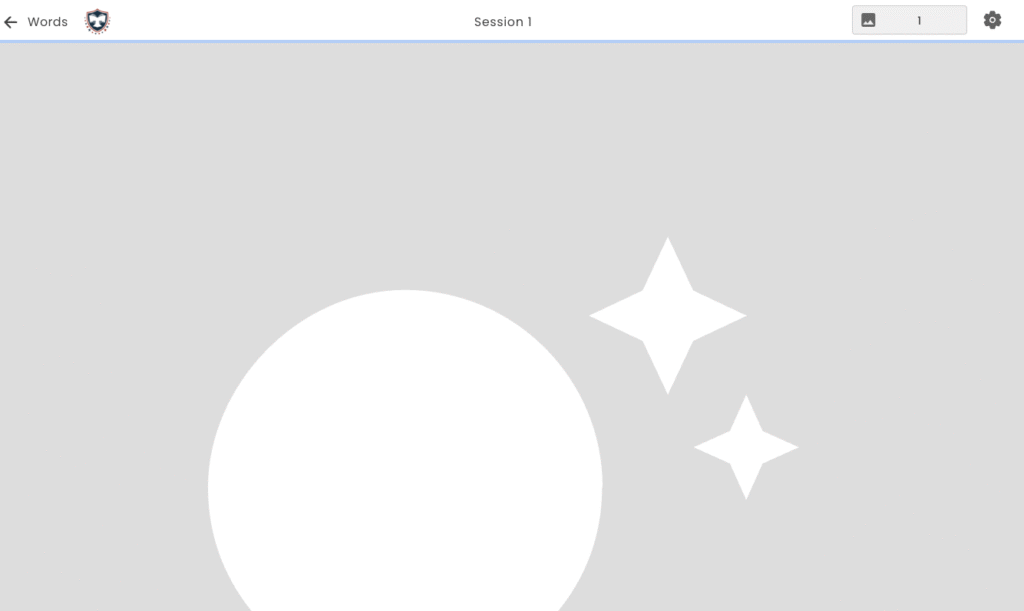
This feature supports visual learners by offering subtle contextual cues without disrupting the flow of the activity.
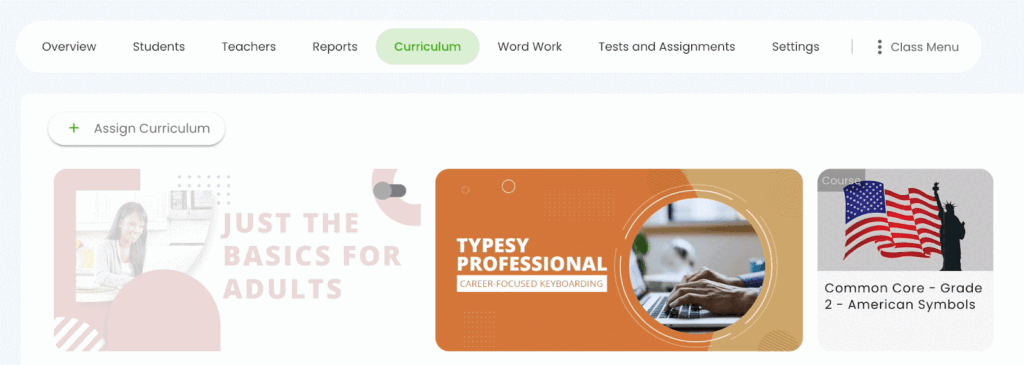
Tooltip on Curriculum/Course Toggle Switch (Admin Interface)
A tooltip has been added to the toggle switch for curriculums and courses, making the function of the switch clearer for administrators. This refinement ensures better usability and reduces mistakes when enabling or disabling access.
New MCQ updates on Quizzes
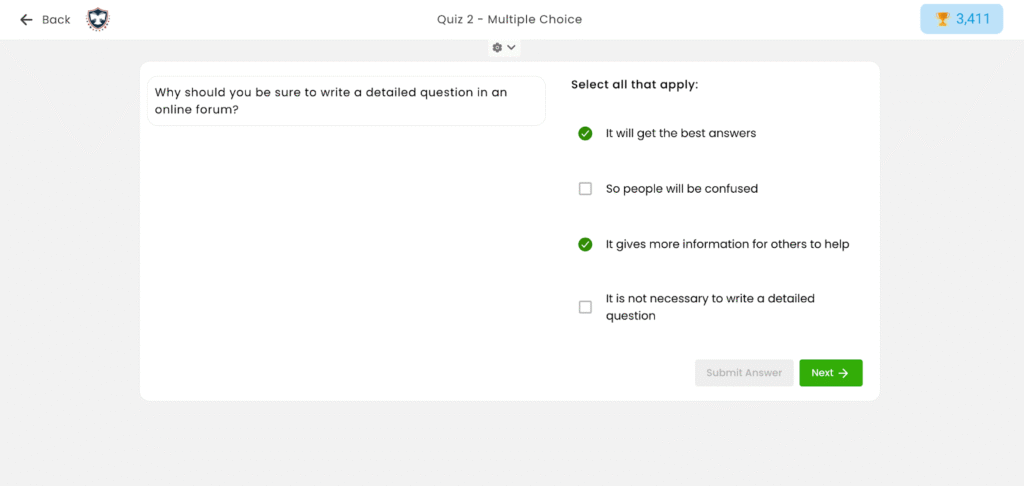
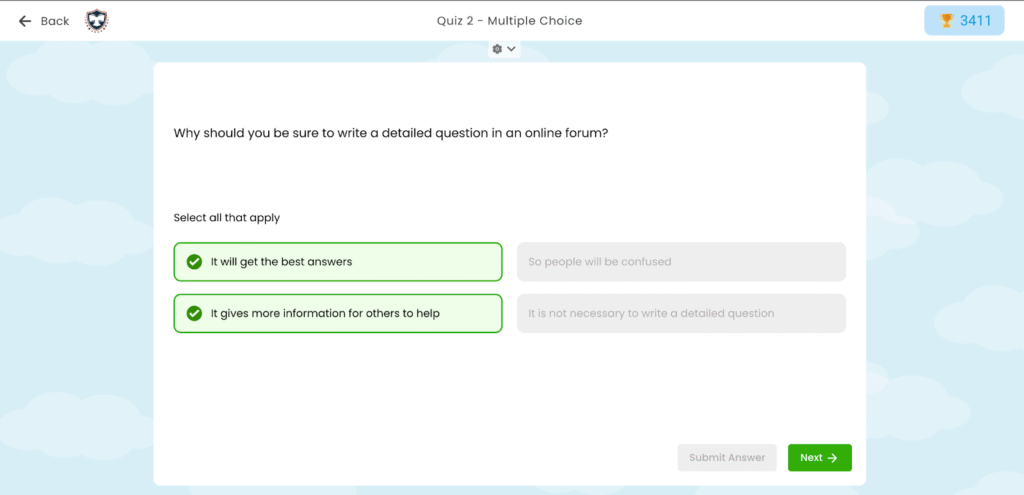
For Multiple-Choice Questions:
The interface has been updated to clearly distinguish selected and unselected options—providing more intuitive feedback during the quiz experience.
Before:
After:
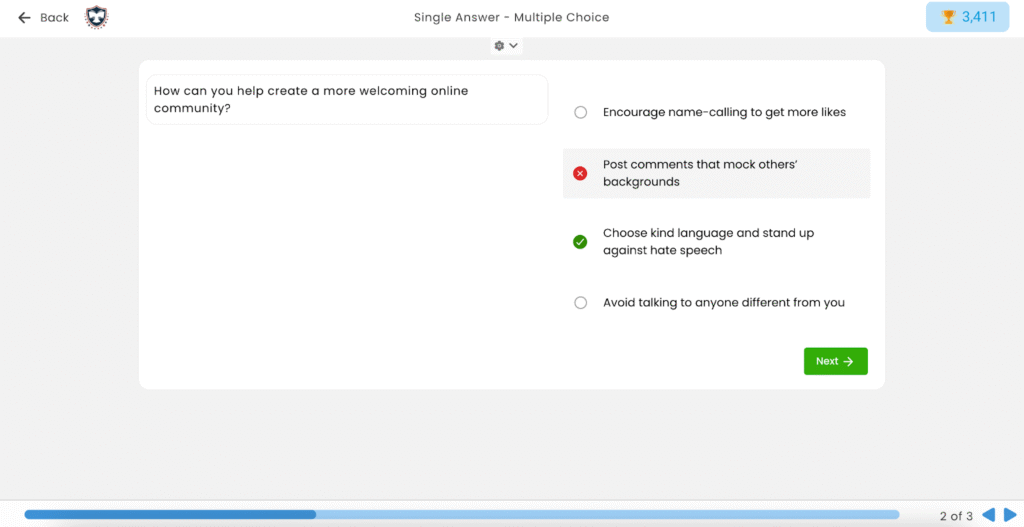
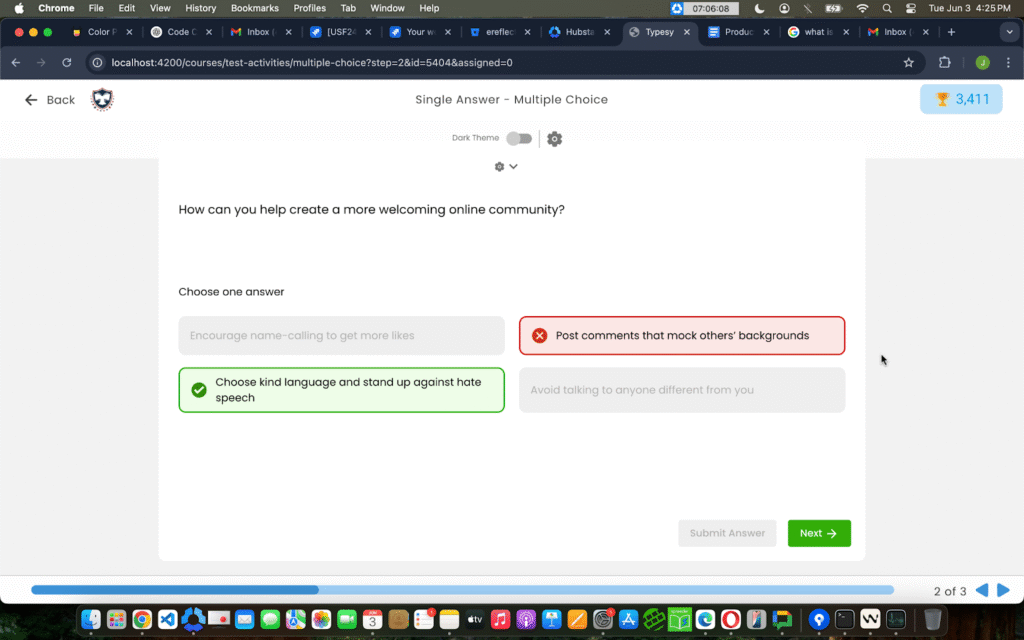
For Single Answers:
Visual styling has been improved to make answer selection more user-friendly and accessible, especially for younger users or those with visual processing challenges.
Before:
After:
Looking Ahead
With every update, Wordela continues to evolve into a more intuitive, engaging, and responsive learning platform. These June 2025 enhancements not only improve functionality for educators and administrators, but also create a richer, more motivating experience for learners. From pet rewards that boost consistency to smarter tools for classroom management, every change is designed with one goal in mind: to support vocabulary growth in a way that’s meaningful, manageable, and motivating.
Stay tuned for even more improvements in the coming months as we continue listening to your feedback and building features that matter. Until then, explore the new tools, enjoy the upgrades, and keep empowering your learners—one word at a time.