Wordela is an active, growing project. We have a committed team of engineers, teachers, curriculum experts, and user interface designers who will continue to improve the product. Here are the latest updates:
New Wordela Features
Word Quick Look-Up Update
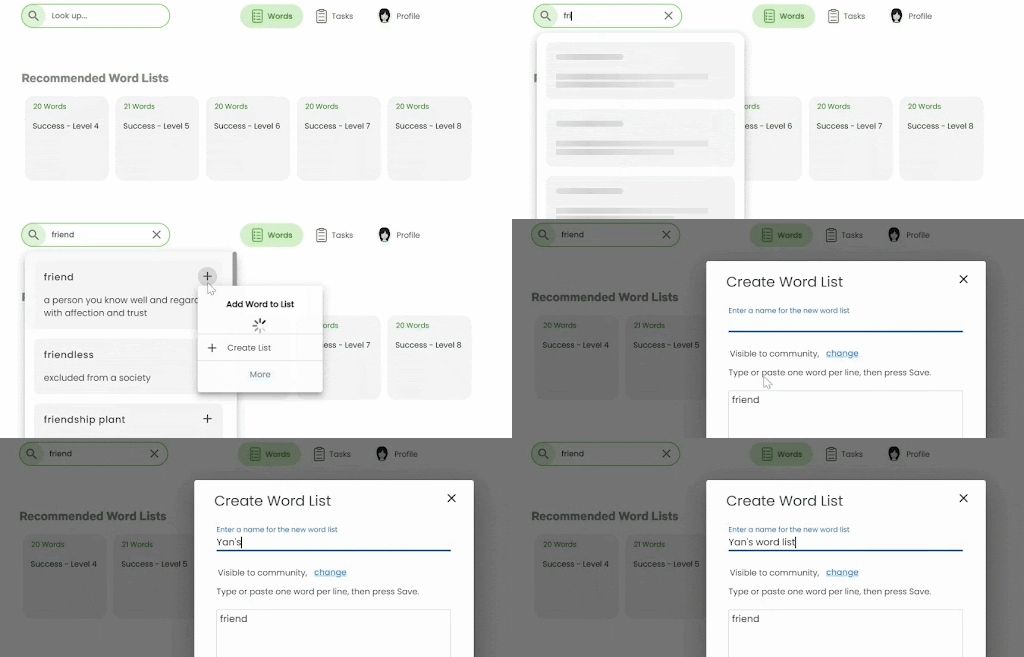
Seamlessly explore word meanings and definitions with our new Web Search Bar and Mobile Search Tab. Swiftly access word details with Quick View and stay organized by adding looked-up words to custom wordlists.
This feature applies to all Wordela accounts.
Mobile Toggle Button
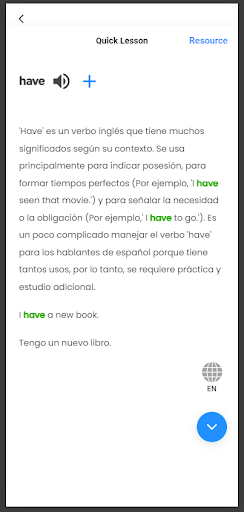
Easily switch languages on the go with the new toggle button above the close button in the ‘Word Info’ and ‘Learn this Word’ modals.
This feature applies to all Wordela accounts.
Wordela Vocabulary Test
Experience streamlined learning with the Wordela Vocabulary Test, now equipped with the Word Recall activity. Effortlessly reinforce your word knowledge and accelerate your progress with this intuitive feature.
This feature applies to all Wordela accounts.
Spelling Activity Update
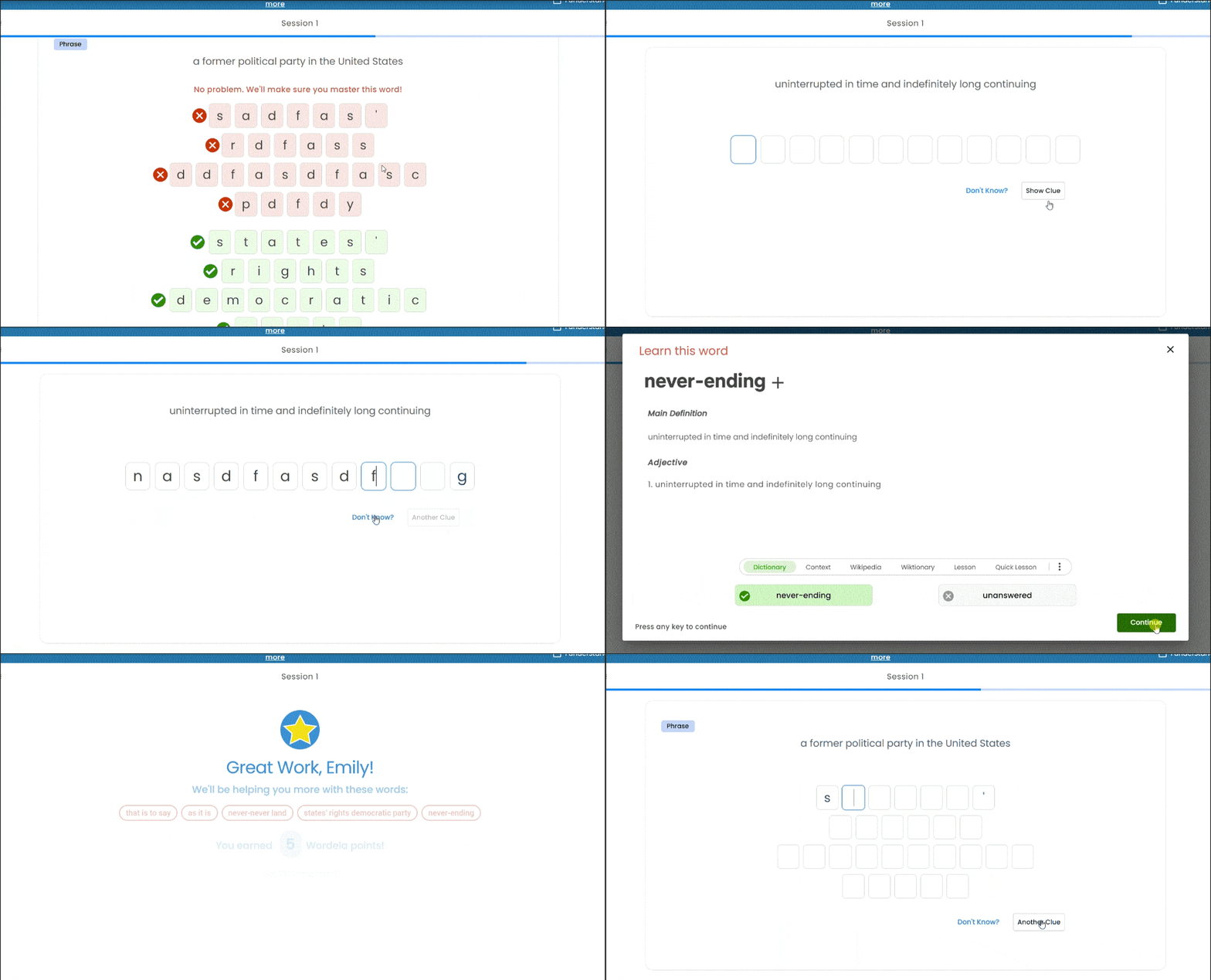
The Spelling Activity now supports phrases in wordlists, facilitating clearer practice. Keyboard inputs automatically progress without needing the spacebar, while the Show Clue/Another Clue button reveals first and last letters of words for enhanced assistance.
This feature applies to all Wordela accounts.
Native Language Help
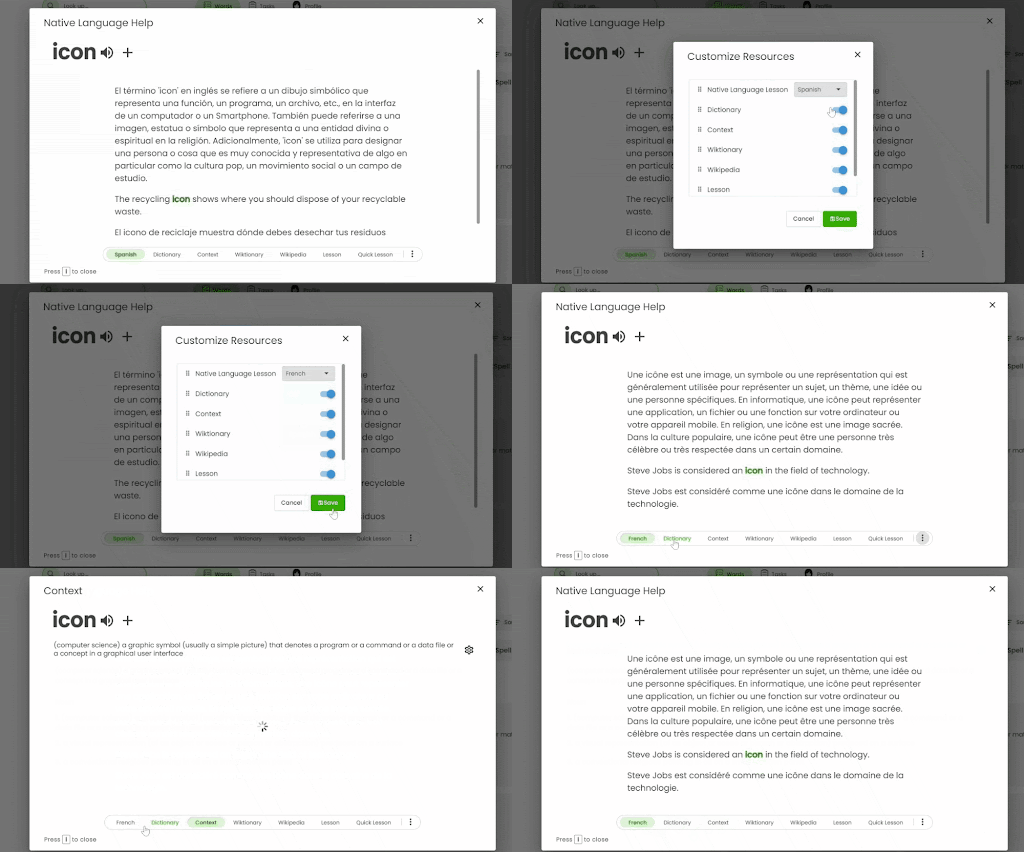
Thanks to AI technology, non-native English speakers can seamlessly switch between English lessons and lessons in their native language. This personalized approach makes vocabulary acquisition more accessible and tailored to individual needs.