Wordela is a dynamic, continuously evolving platform. Backed by a dedicated team of engineers, educators, curriculum specialists, and UX designers, we’re committed to delivering meaningful updates that enhance both teaching and learning. Here’s what’s new:
What’s New
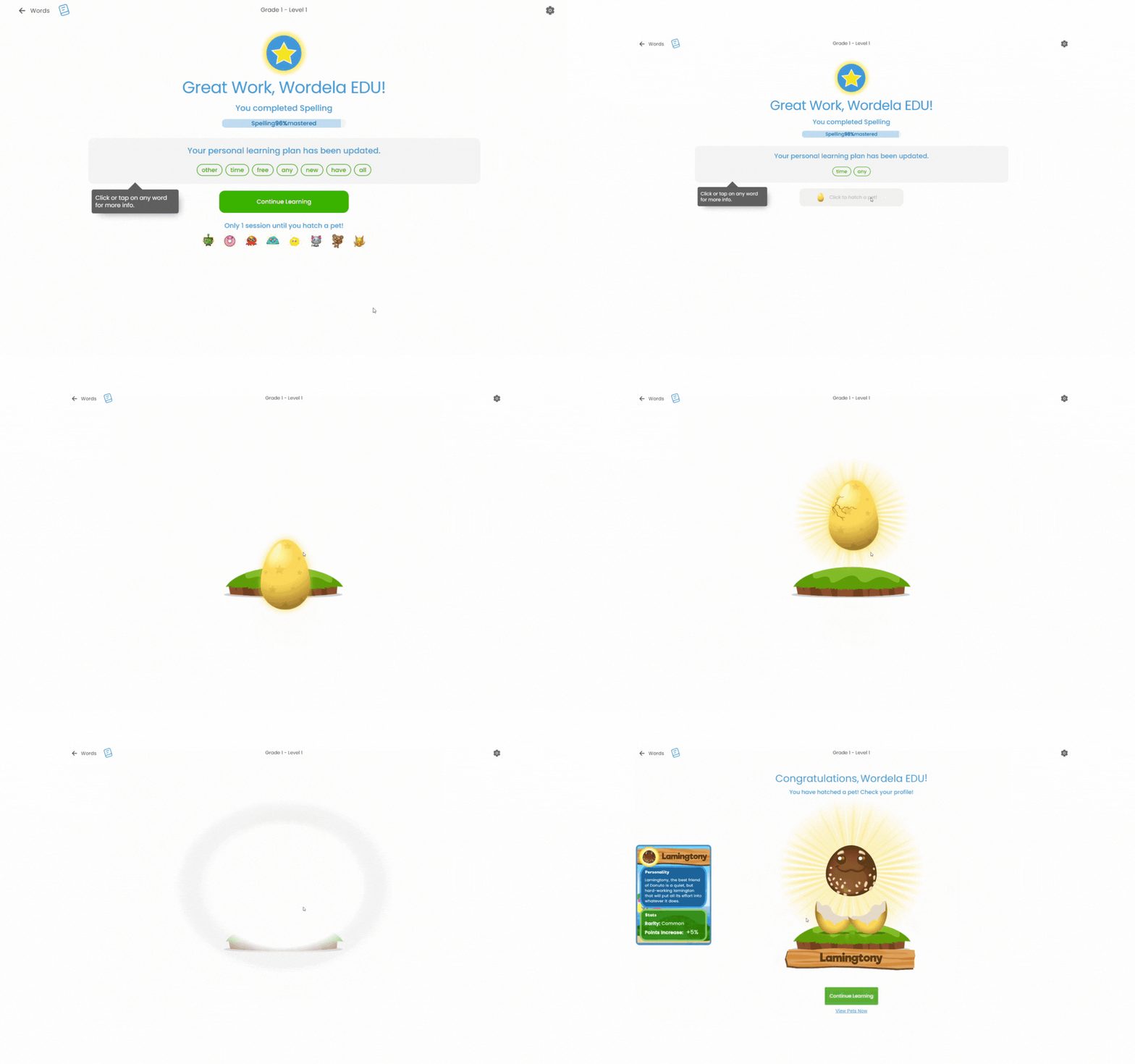
Wordela Round-Based Pets
Wordela pets now hatch after completing 7 sessions across Learn Vocab and Learn Spelling activities, with a countdown shown after each session—then reset once a pet hatches. This update encourages consistent study habits by offering a playful incentive system that rewards ongoing engagement.
Improved user Dashboard in Admin
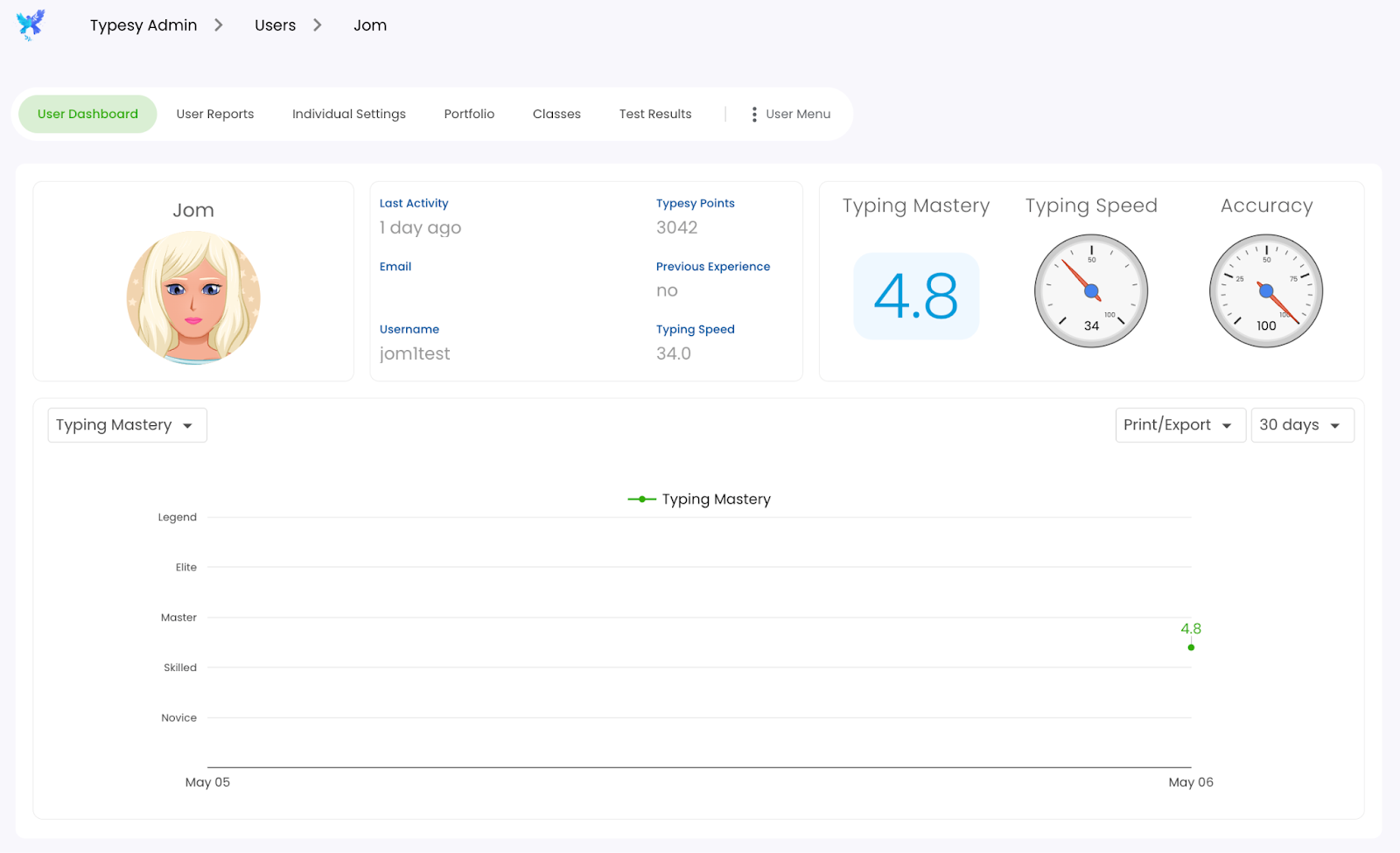
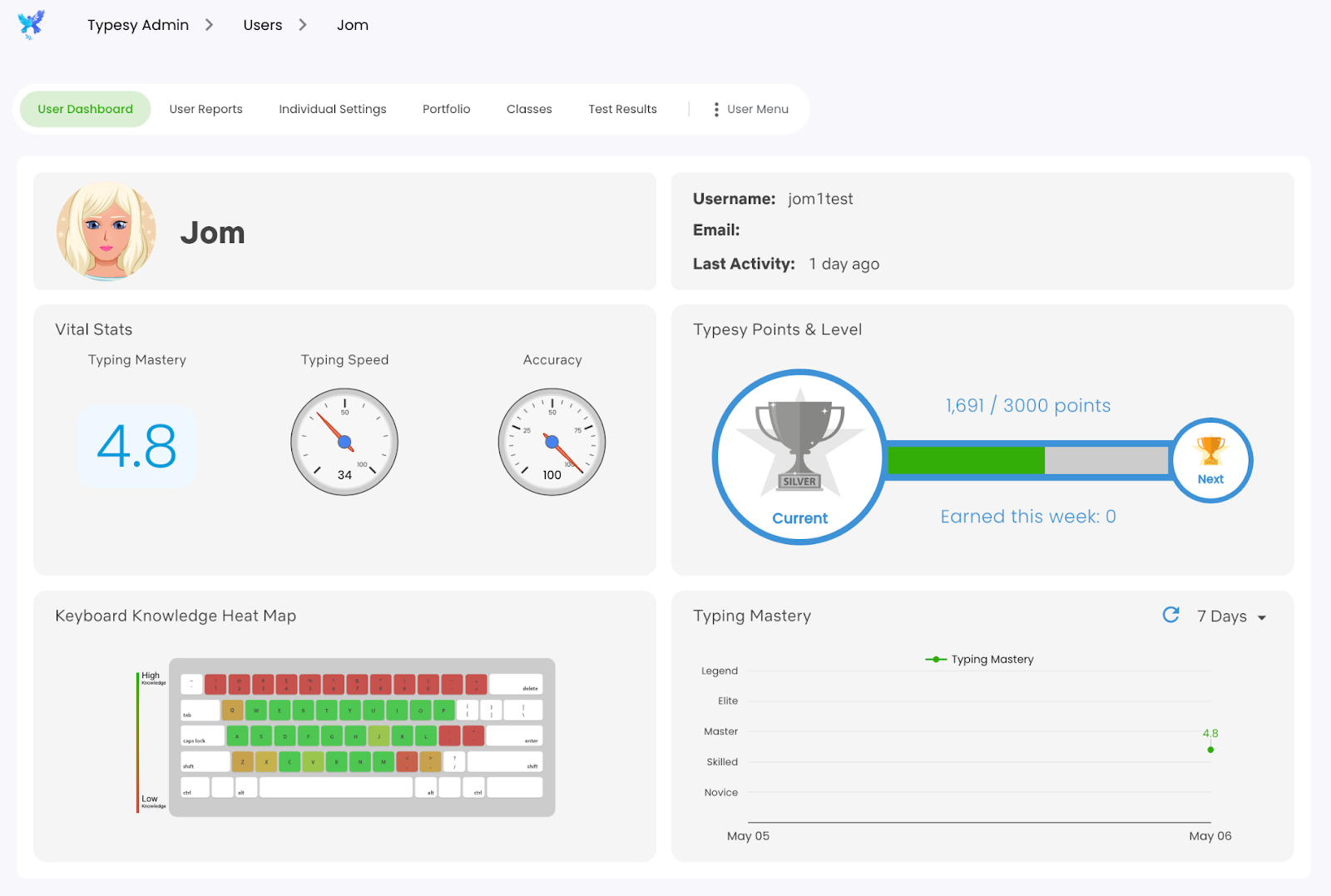
User and student dashboards now look like the Profile screen in the student interface. This change provides visual consistency and helps admins more easily understand and monitor what students see and experience.
Old Design:
New Design:
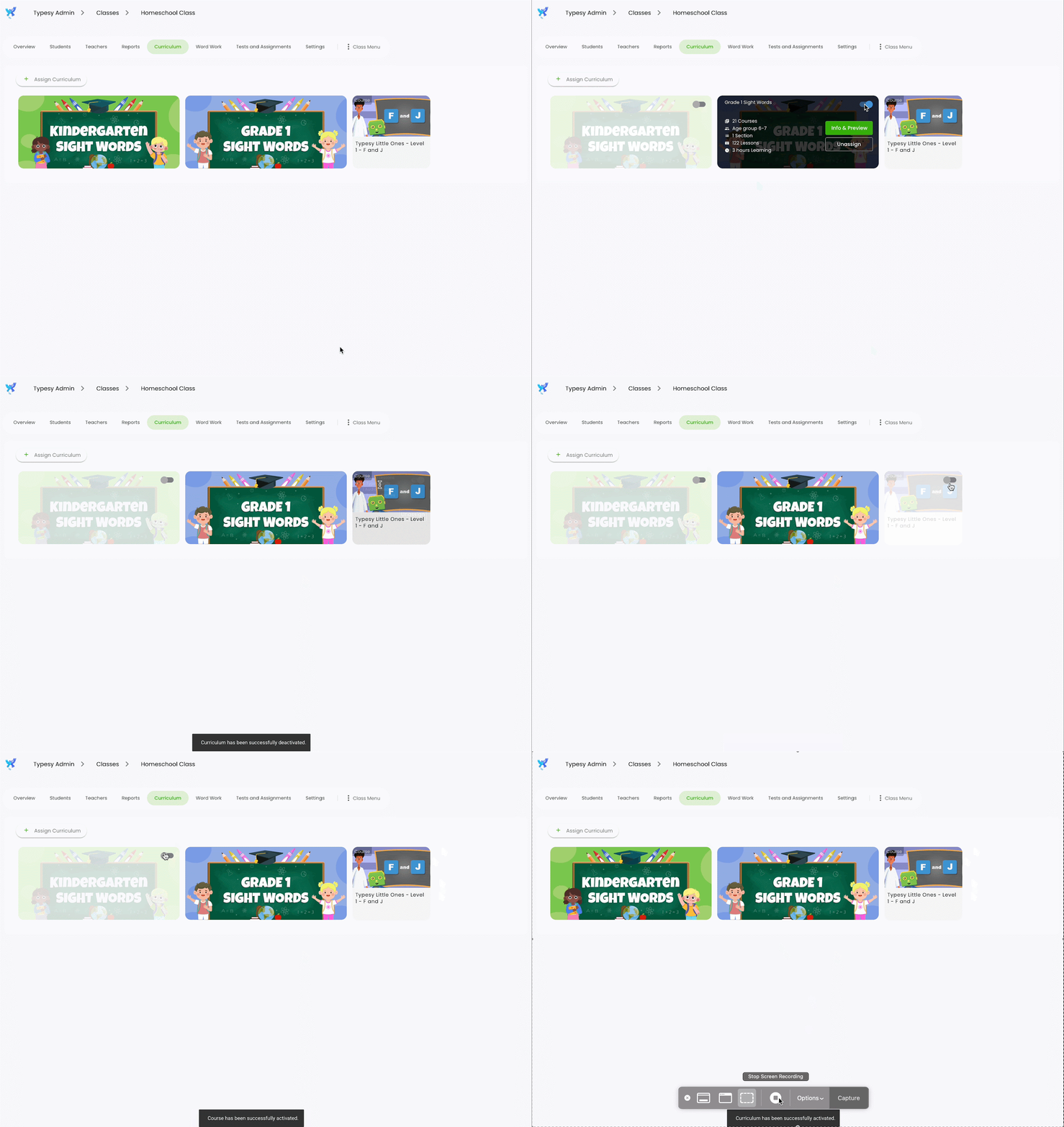
Active Switch on Curriculum Tab Items in Admin
The Admin Class Curriculum screen now features a toggle switch on each curriculum and course card. Switching it OFF immediately deactivates student access while keeping the item visible—unlike the Unassign button, which completely removes the item from the class. This offers a faster, more flexible way to manage student access while preserving the teacher’s setup.
Minor UX Updates
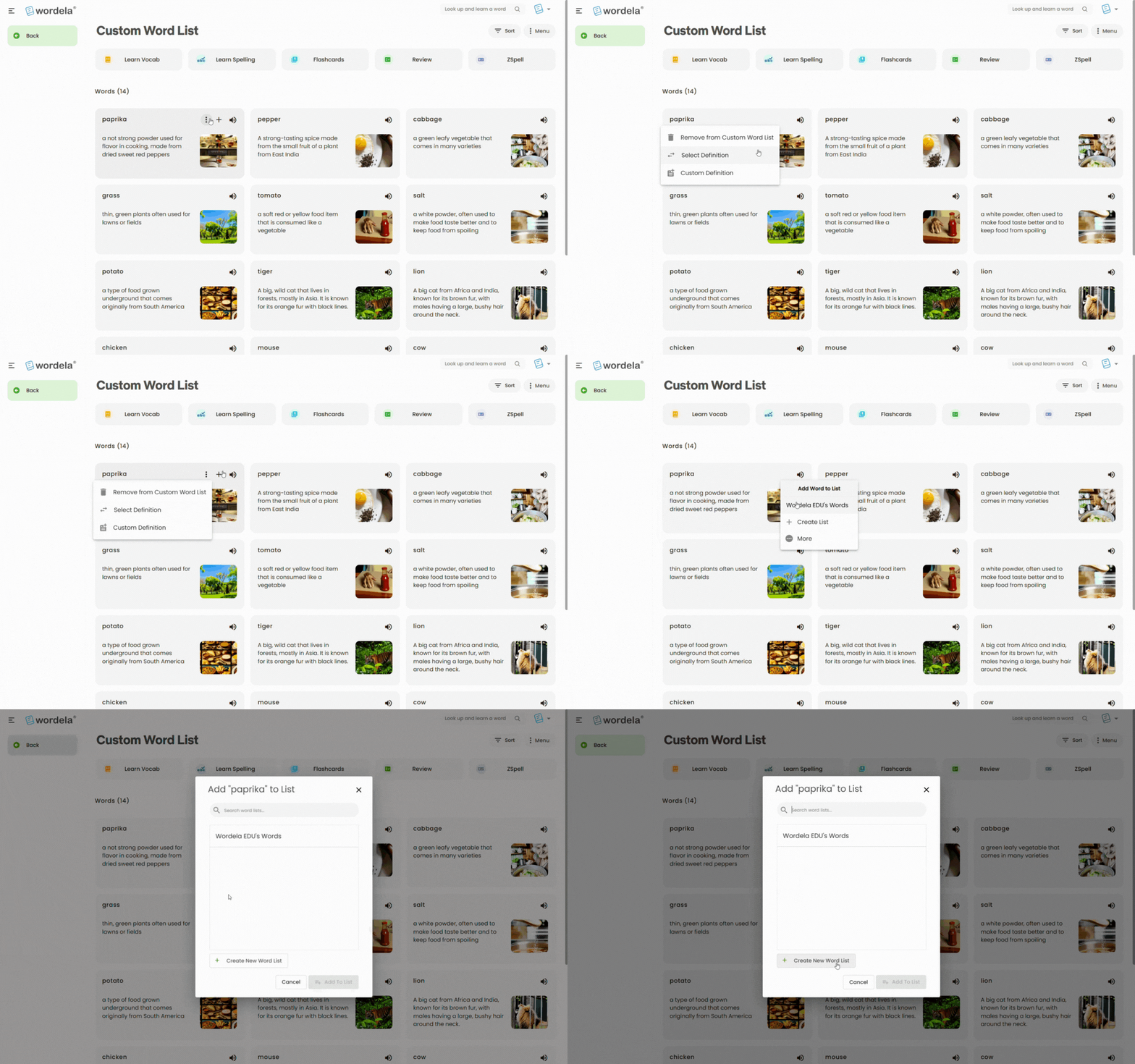
Added a ‘+’ icon and a three-dot menu that appears when you hover over each word in the custom word list. This streamlines access to editing options, improving workflow efficiency when managing the wordlist.
Learn Vocab: New “Say Word” Setting for Multiple Choice Questions
When enabled (default: ON):
- For Definition questions: the correct word is spoken after answering.
- For Word questions: the word is spoken immediately when the question appears.
This feature enhances auditory reinforcement and supports learners who benefit from hearing words aloud during practice.

Learn Vocab: New “Don’t Know” option for Multiple Choice Questions.
Selecting this marks the answer as incorrect and reveals the word information, just like choosing the wrong answer.
Selecting this marks the answer as incorrect and reveals the word information, just like choosing a wrong answer. This gives learners an easy way to admit uncertainty and still learn from their mistakes, improving retention.

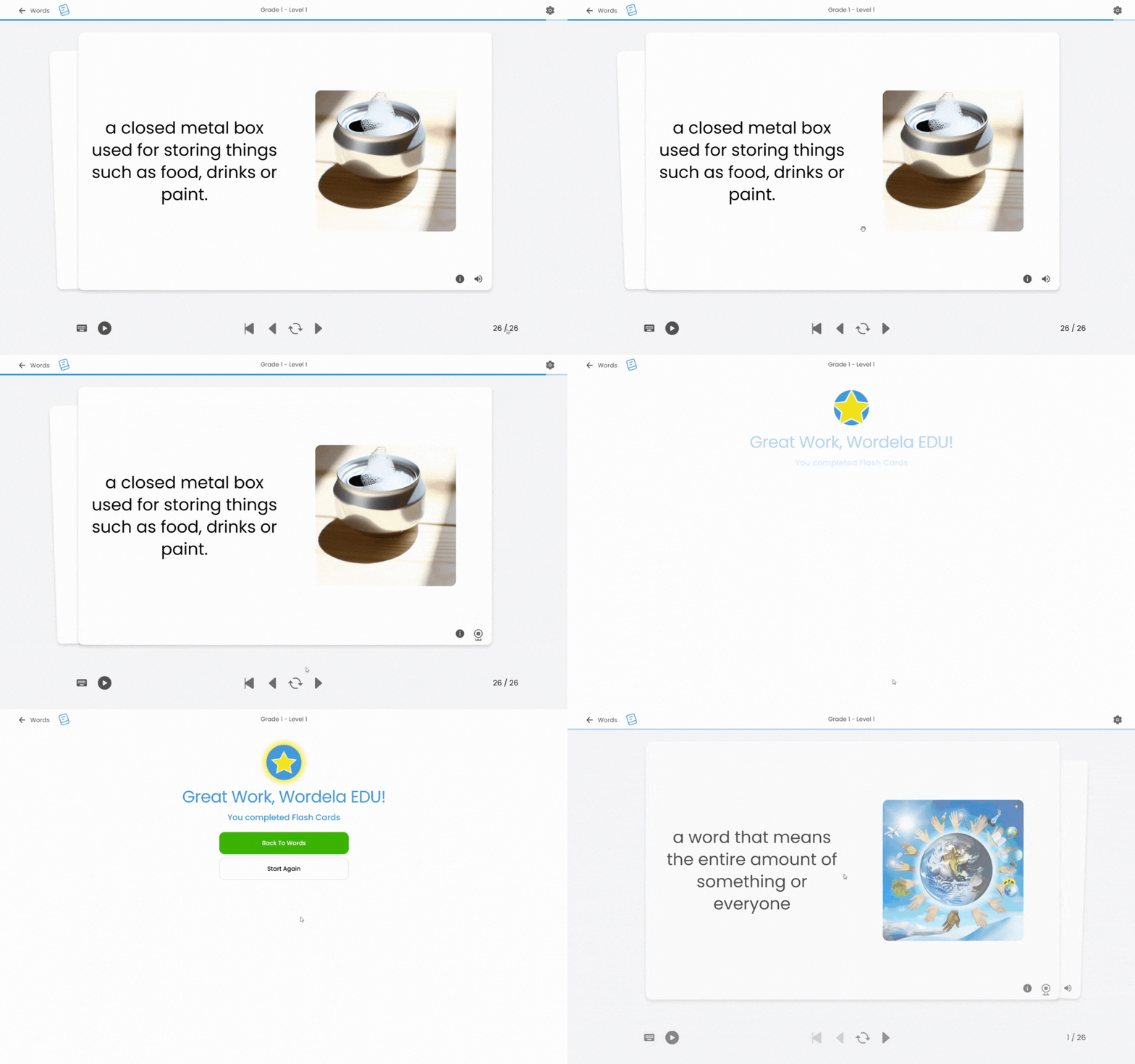
New buttons for the Flash Cards end screen:
- Back to Words – Returns to the Words screen.
Start Again – Restarts the activity from the beginning.
These buttons make navigation smoother and provide immediate options for review or re-engagement with the material.
Bug Fixes
- Fixed Flashcards AutoPlay Interval not properly working.
- Fixed shortcut key not working in the course runner end screen when pressing Enter.
- Fixed default image for dark theme.
- Fixed Spelling Activity’s clue issue where incorrect letter boxes are disabled and marked as a clue.
These fixes help ensure a smoother, more reliable experience for learners and reduce friction during study sessions.
Looking Ahead
With every update, Wordela continues to evolve into a more intuitive, engaging, and responsive learning platform. These May 2025 enhancements not only improve functionality for educators and administrators, but also create a richer, more motivating experience for learners. From pet rewards that boost consistency to smarter tools for classroom management, every change is designed with one goal in mind: to support vocabulary growth in a way that’s meaningful, manageable, and motivating.
Stay tuned for even more improvements in the coming months as we continue listening to your feedback and building features that matter. Until then, explore the new tools, enjoy the upgrades, and keep empowering your learners—one word at a time.