Wordela is a dynamic, continuously evolving platform. Backed by a dedicated team of engineers, educators, curriculum specialists, and UX designers, we’re committed to delivering meaningful updates that enhance both teaching and learning. Here’s what’s new:
What’s New?
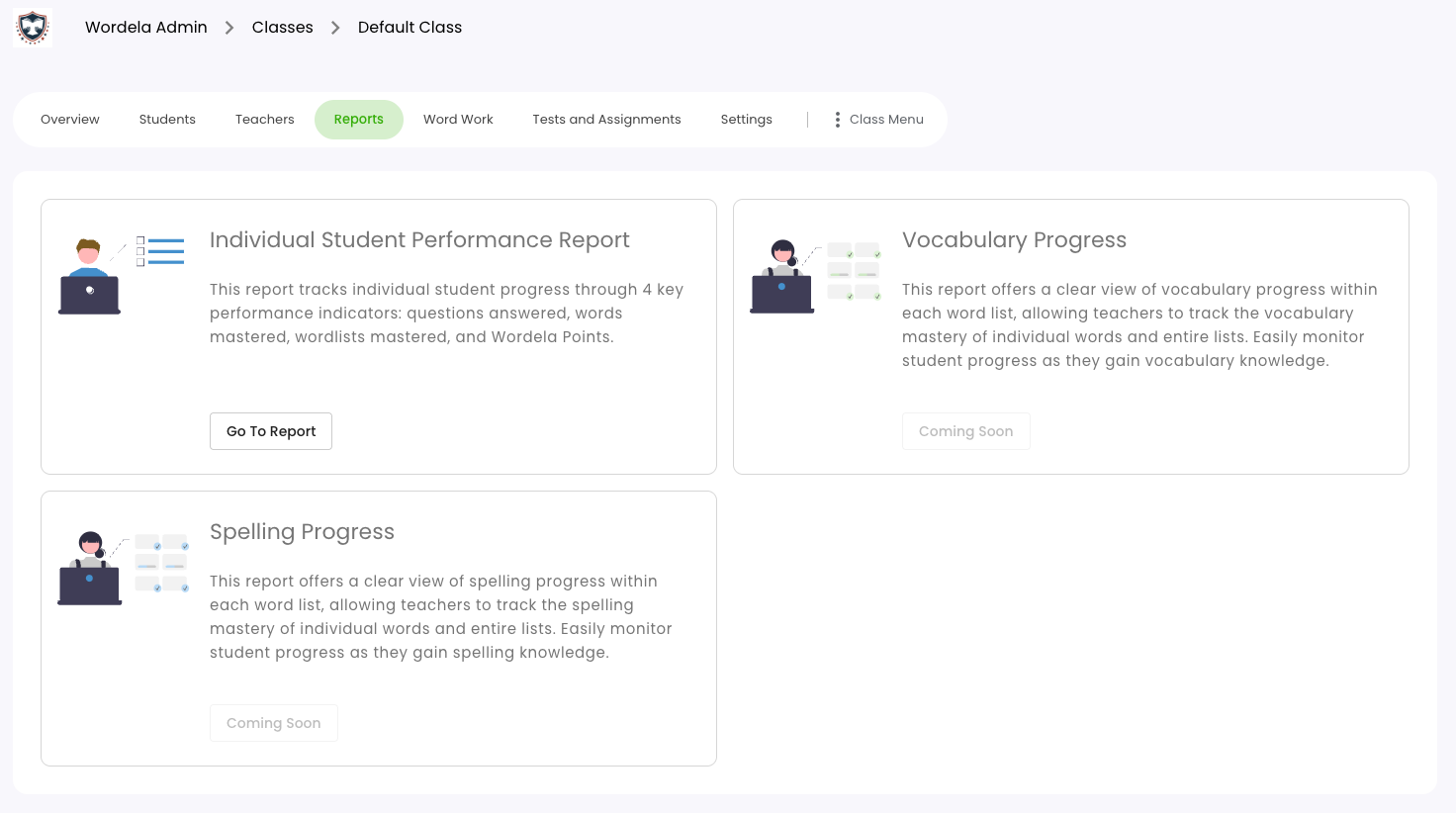
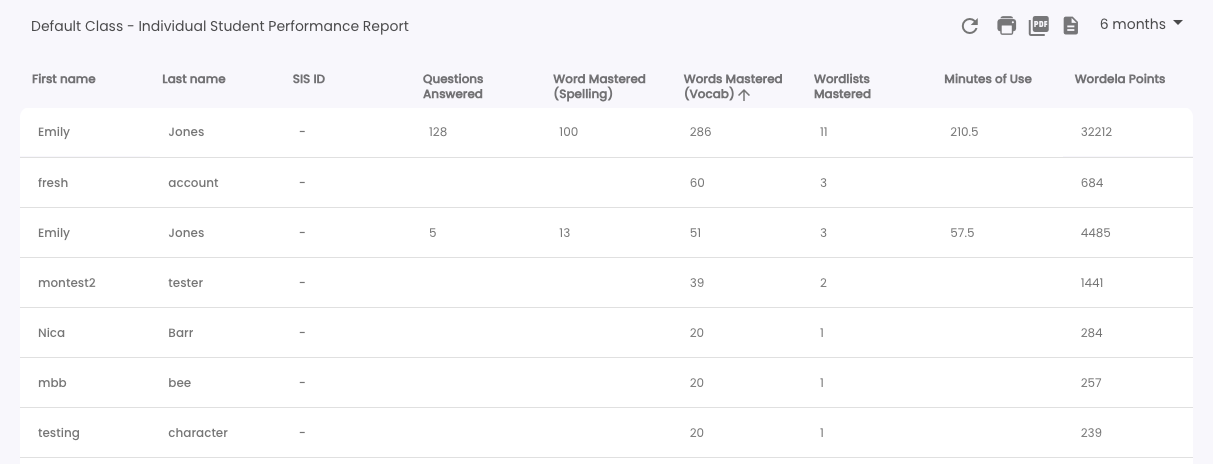
Wordela Individual Student Performance Report
This report presents individual student performance data specific to Wordela, including Questions Answered, Words Mastered (Spelling), and Words Mastered (Vocabulary). It aims to help track learning progress and guide instruction.
Two new reports — Vocabulary Progress and Spelling Progress — have also been added to highlight growth over time. These will be available in the next release.
Quick Add Word to List
The word lookup/search tool has been relocated to the Word List Home view for easier access, streamlining the finding and managing vocabulary. When used, the searched word is now automatically added to the selected word list — making vocabulary building faster and more intuitive.
Note: The quick-add feature is available only for user-created word lists. This update aims to support more efficient word list customization and independent learning.

For default and assigned word lists, the original search bar will continue to appear.

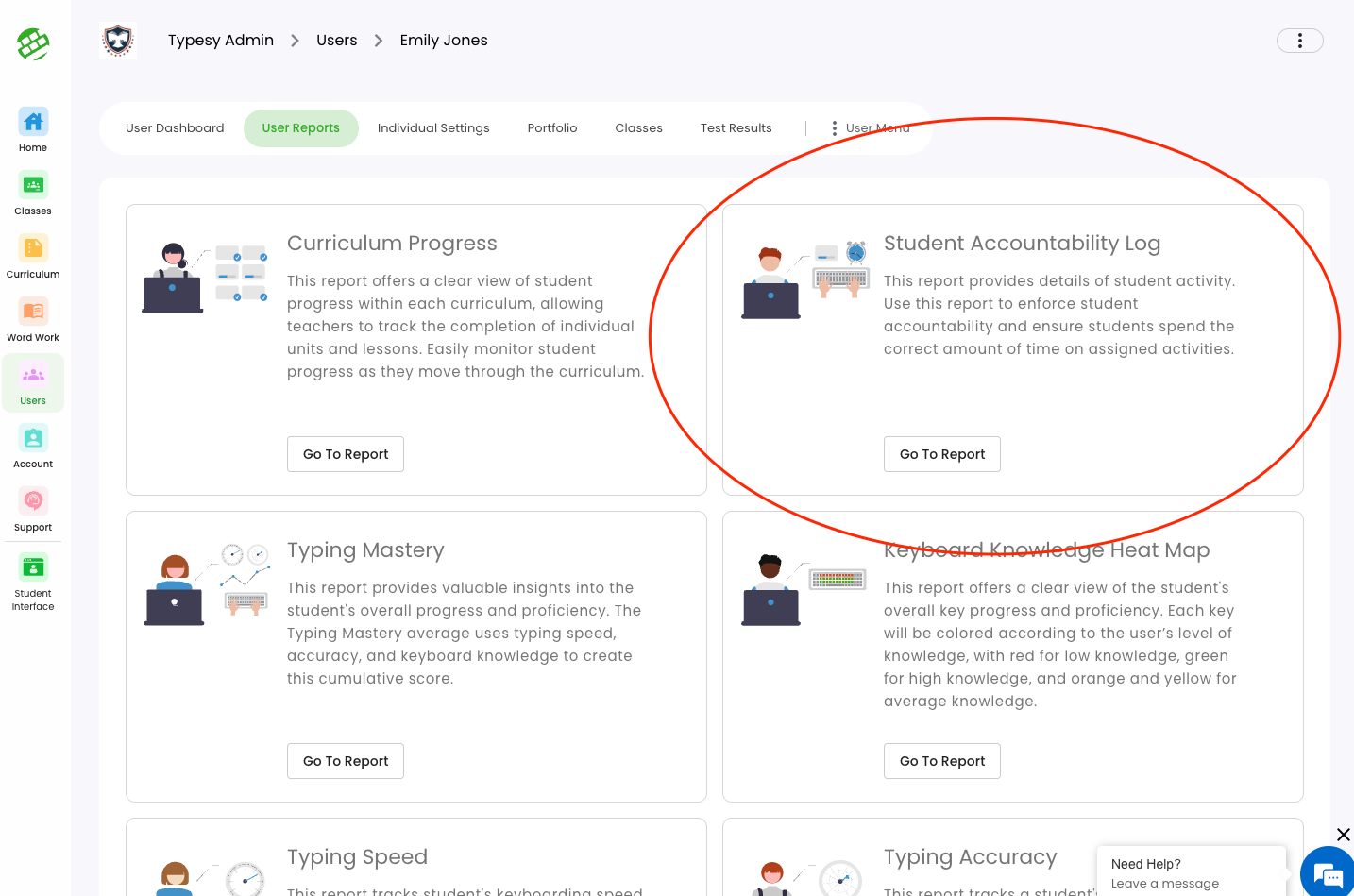
New Report: Student Accountability Log
This report provides a detailed activity log to support student accountability and progress monitoring. It captures engagement across curriculum tasks, games, and system events — giving educators a clear view of how students interact with their learning environment.
Key Features:
- Curriculum Filter: Displays all curriculums assigned to each student. (Note: Curriculum options may vary per student and will appear once all data is loaded.)
- Games, System Events, and Words tracking
- Table Date Filter: Enables filtering by date range, consistent with other reports
- PDF Export: Easily export logs for offline review or documentation.
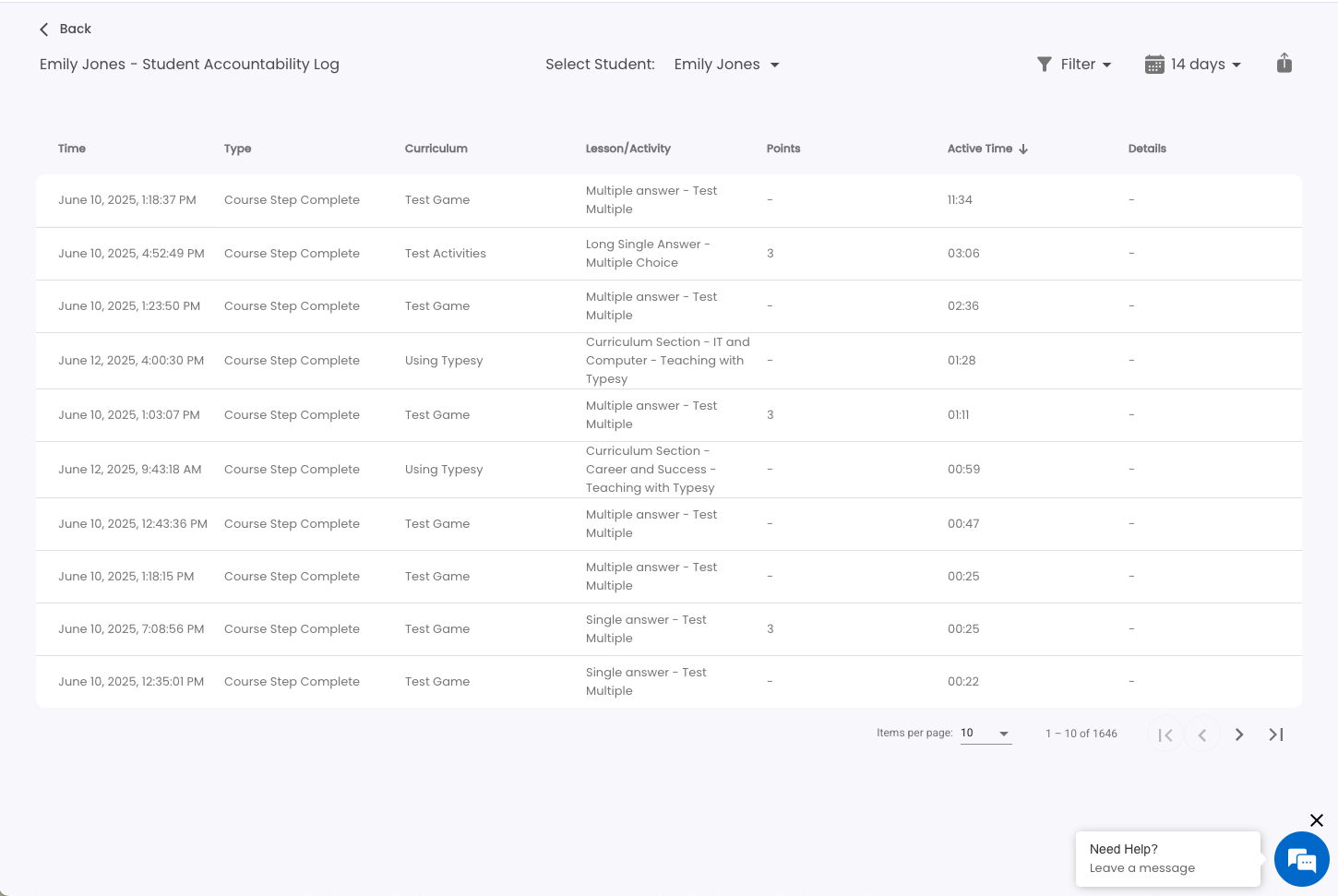
This report is designed to enhance visibility into student behavior and learning patterns, supporting informed instruction and data-driven decision-making.
New Onboarding Tweak
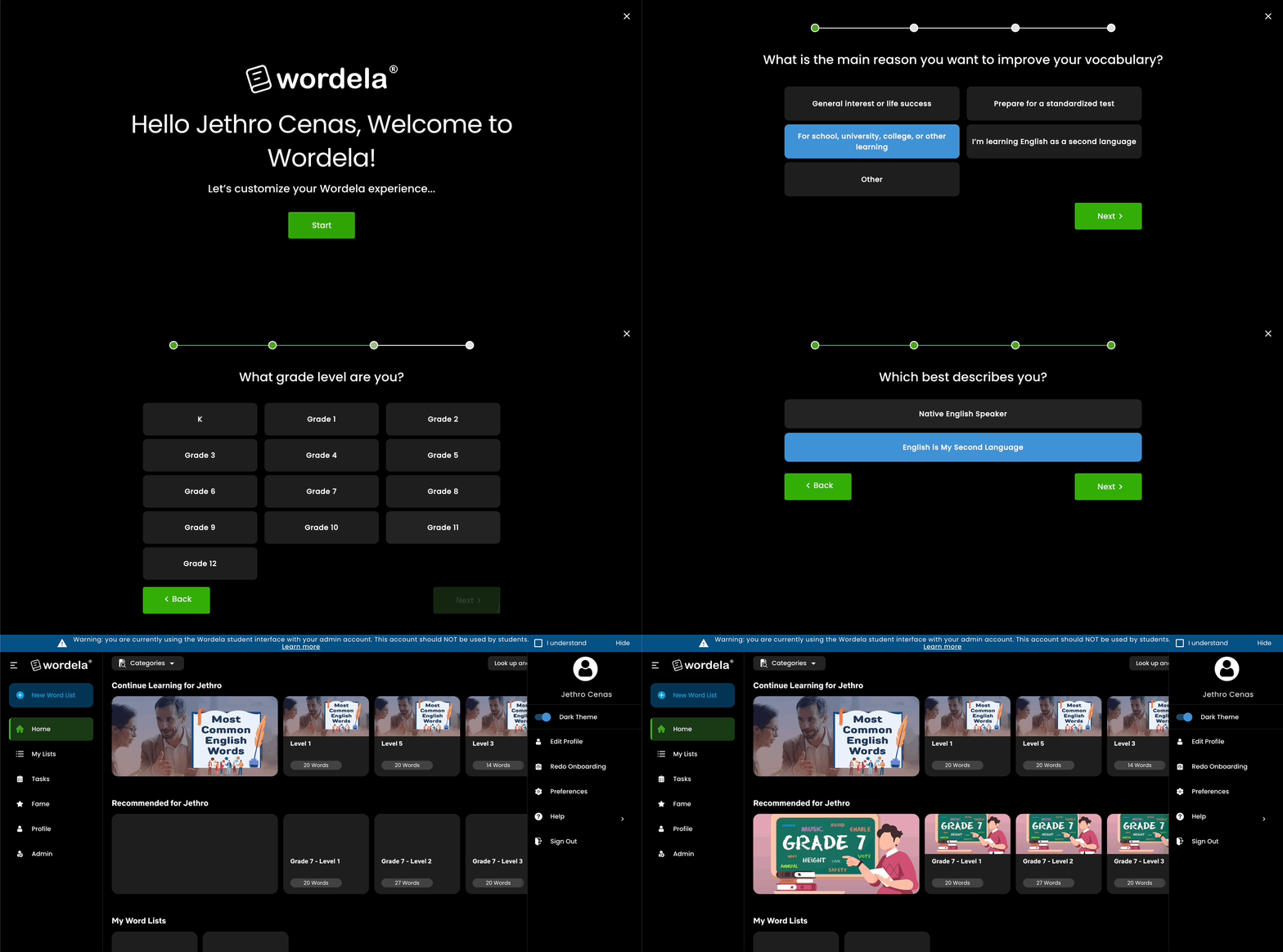
- New Question Added: “Which best describes you?”
- Native English Speaker
- English is My Second Language
Purpose: To personalize the learning experience based on language background.
- Native English Speaker
- Improved Progress Bar: Updated for better clarity, helping users understand where they are in the setup process.
- Enhanced Next Steps: Now supports additional languages to provide a more inclusive and guided start.
- Previous Experience: The earlier onboarding flow was shorter and offered fewer customization options.
Purpose: These changes aim to create a more tailored and supportive onboarding journey for all learners.
Before:

Current:
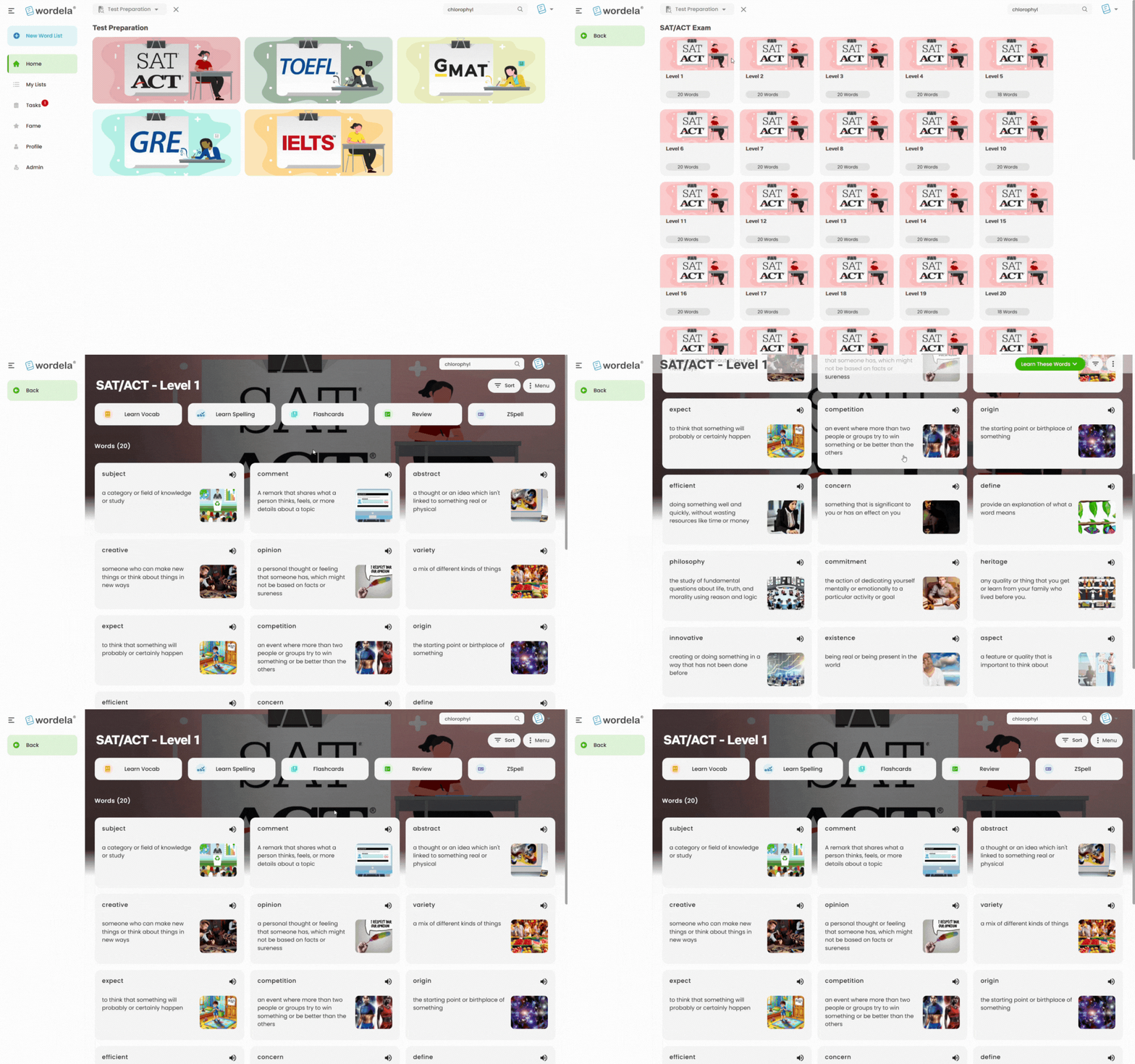
Graphical Words Screen Header
A new screen header now appears on the Word List Home screen for all word lists, except those created by users. This gives the interface a more polished and consistent look across built-in and assigned lists.
Minor UX Updates
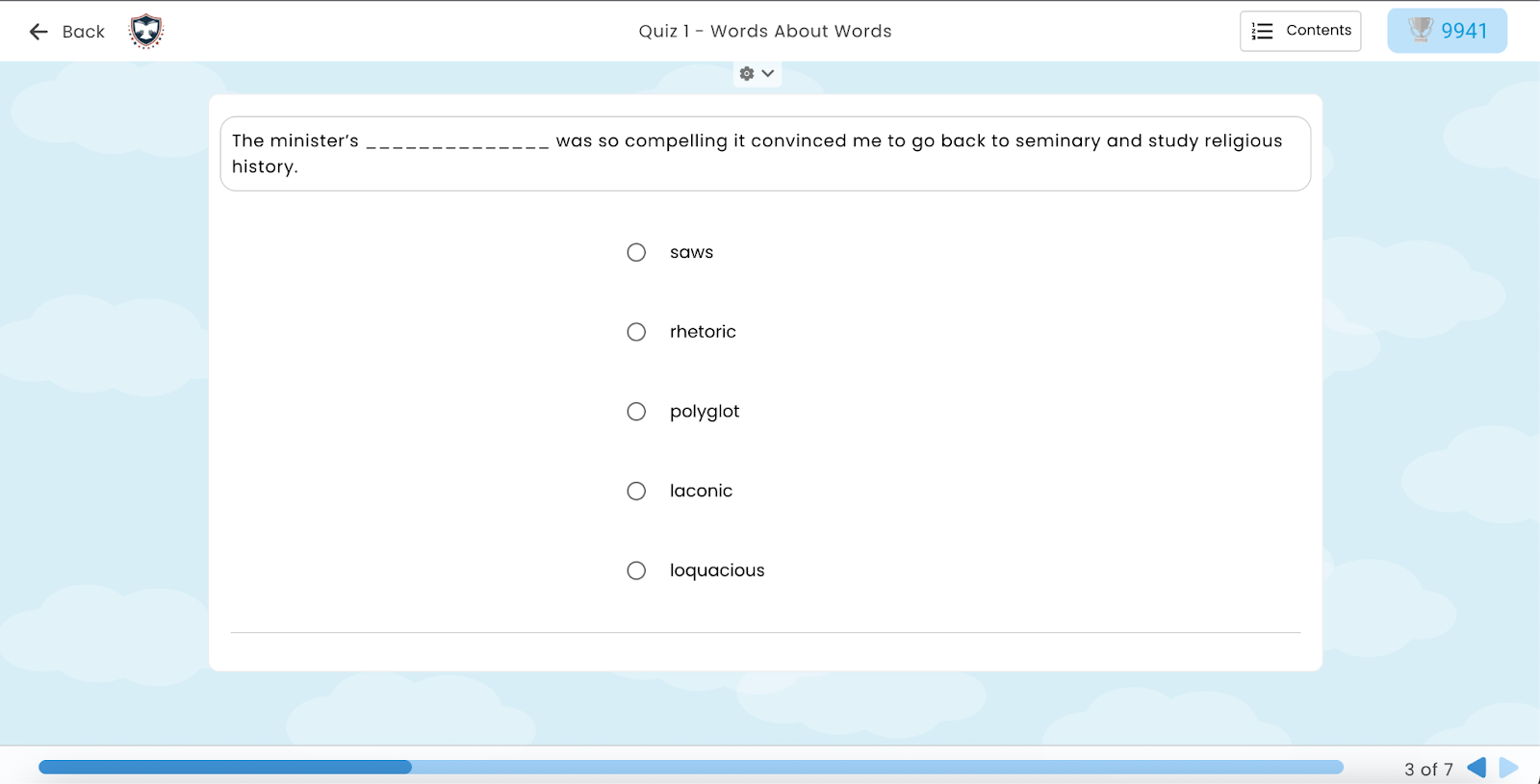
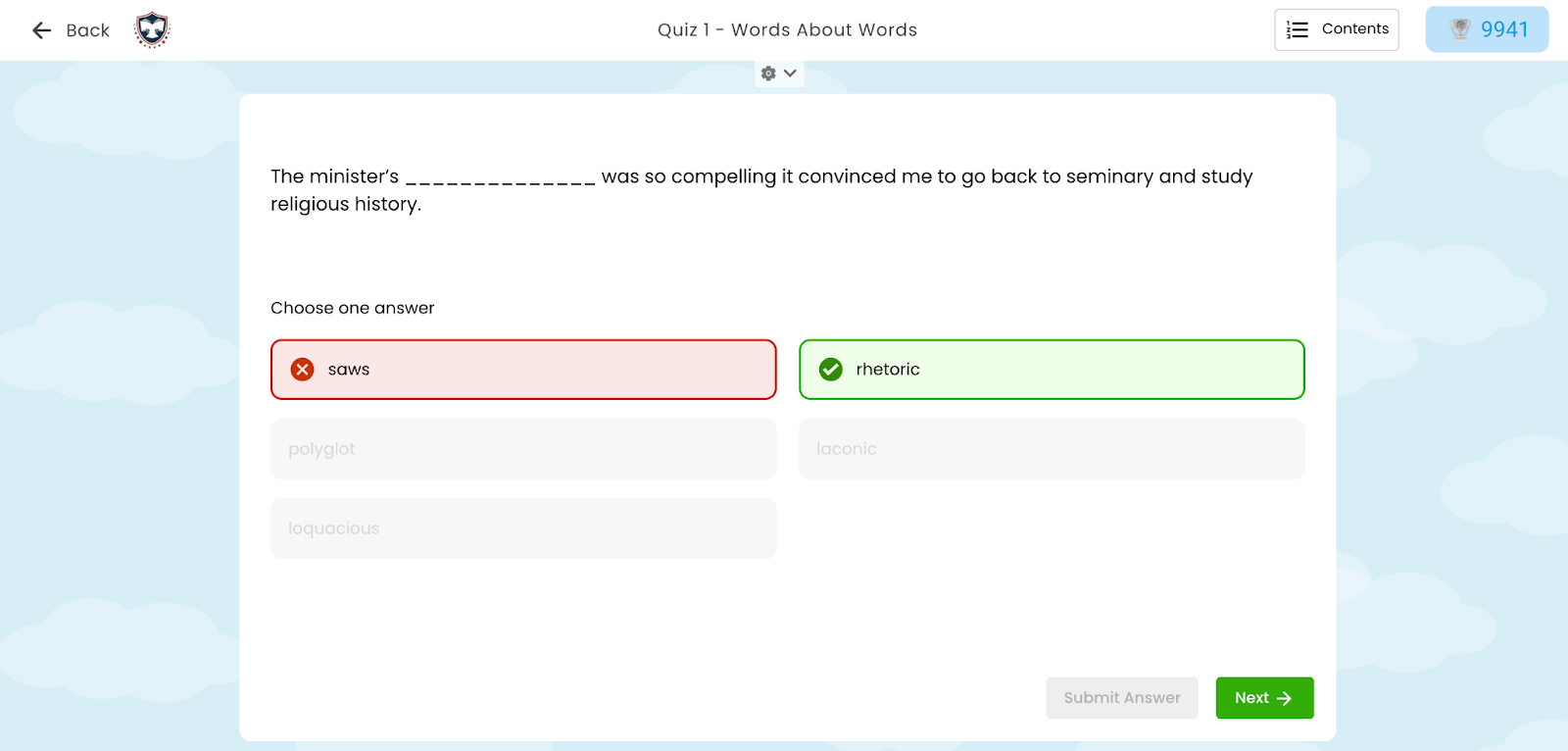
Applied the new MCQ design update to fill-type questions to improve visual consistency and user experience. Updated the fill-type questions design to align with the latest multiple-choice question (MCQ) format.
Before:
Current:
Looking Ahead
With every update, Wordela continues to evolve into a more intuitive, engaging, and responsive learning platform. These June 2025 enhancements not only improve functionality for educators and administrators, but also create a richer, more motivating experience for learners. From pet rewards that boost consistency to smarter tools for classroom management, every change is designed with one goal in mind: to support vocabulary growth in a way that’s meaningful, manageable, and motivating.
Stay tuned for even more improvements in the coming months as we continue listening to your feedback and building features that matter. Until then, explore the new tools, enjoy the upgrades, and keep empowering your learners—one word at a time.