
Wordela is a dynamic, continuously evolving platform. Backed by a dedicated team of engineers, educators, curriculum specialists, and UX designers, we’re committed to delivering meaningful updates that enhance both teaching and learning. Here’s what’s new:
What’s New?
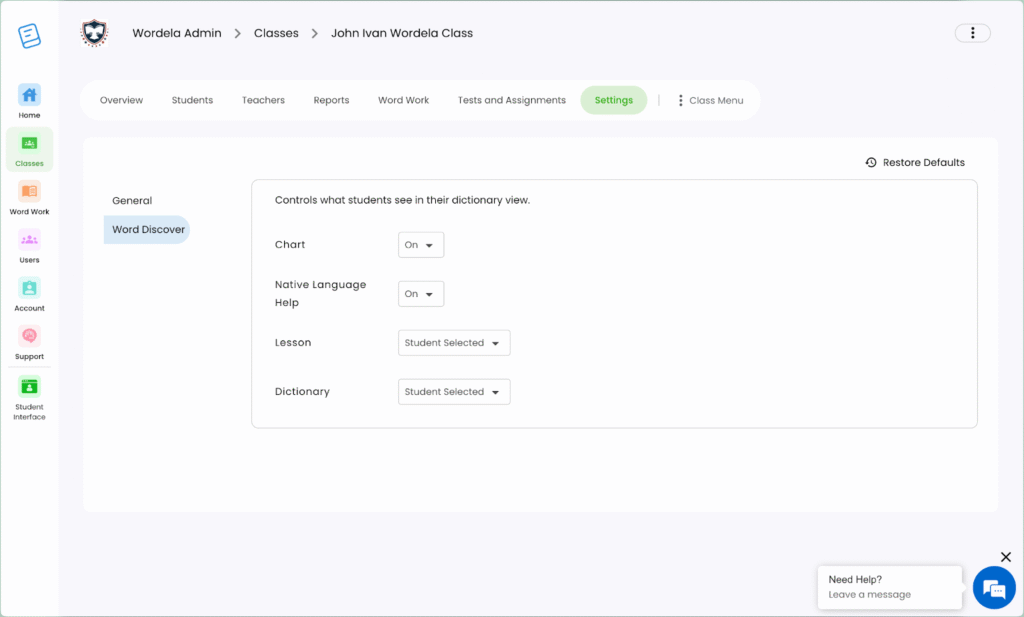
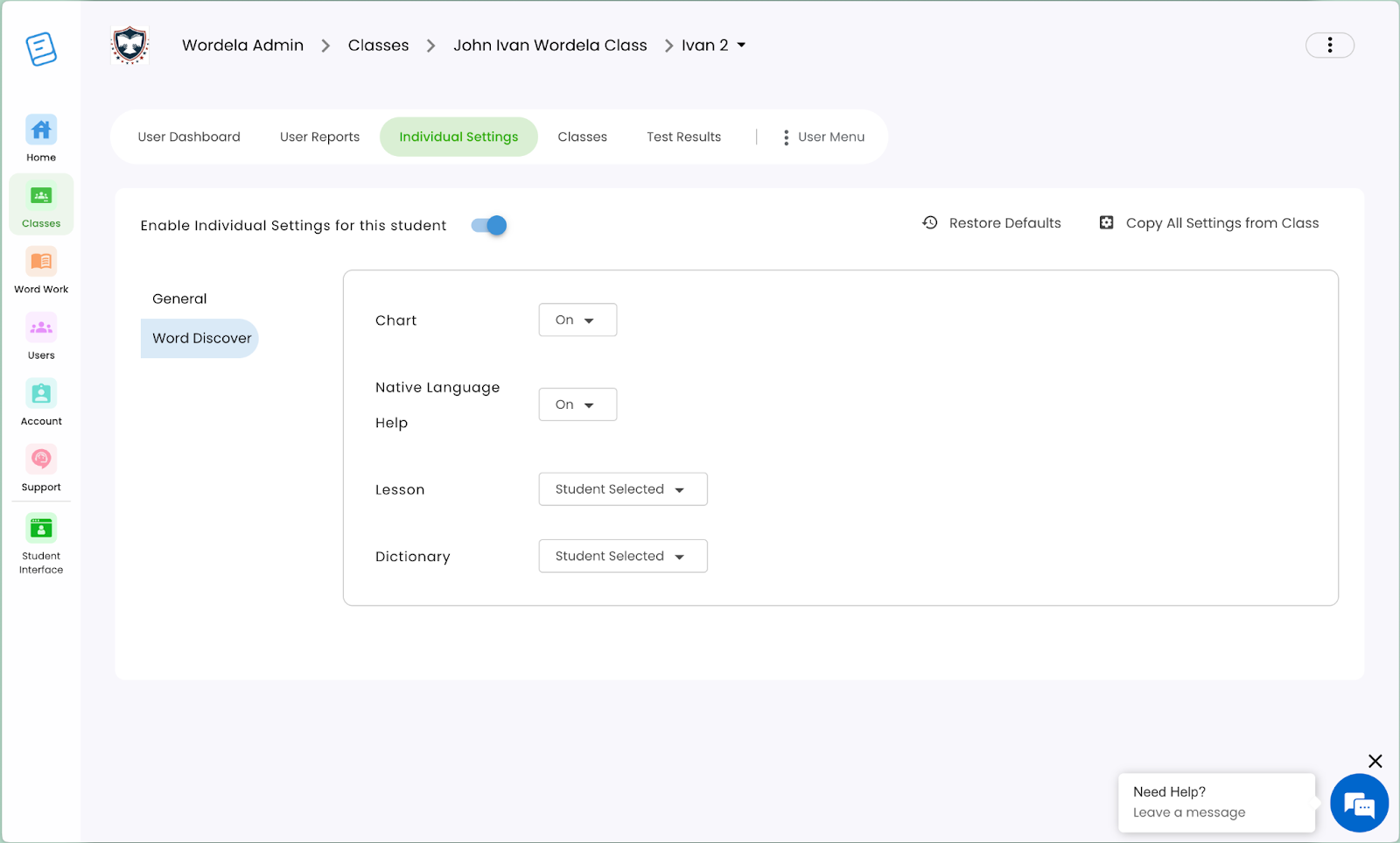
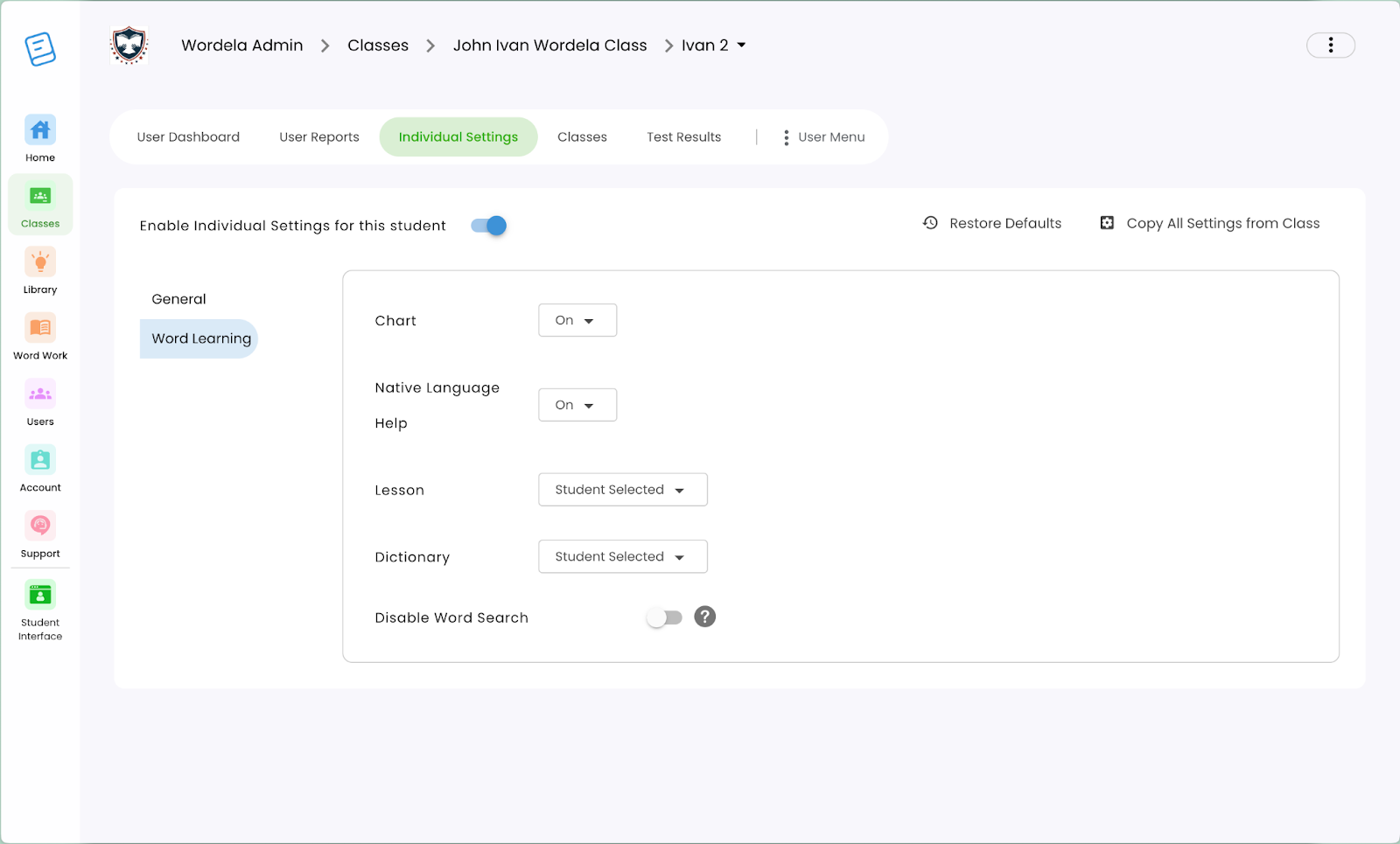
Disable Word Search – Individual and Class Setting
A new admin control has been added to disable the Word Search feature, preventing students from looking up dictionary words or creating custom word lists.
- This can be turned off at both the class level and the individual student level.
- The “Word Discover” tab has also been renamed to “Word Learning” for clarity and consistency.
💡 This feature supports focused vocabulary learning and gives educators more control over how students explore words.
Before (Class Settings):
After (Class Settings)

Before (Individual Settings):
After (Individual Settings):
School-Based Hall of Fame
An additional School filter has been added to the Hall of Fame feature for Schools Admin accounts in Wordela.
- This option is available only to non-trial Schools Admin users.
- It allows admins to view top-performing students within their own school, making recognition more personalized and relevant.
This update makes it easier for schools to celebrate student achievement at a local level.
- New Design for School Hall of Fame Leaderboard
When the Hall of Fame setting is set to “School,” a new leaderboard design is now displayed.
- (Other options) – For views other than School (such as Global, Class, or Off), a banner will appear below to indicate that the School-specific leaderboard design is not in use.
This feature applies to all Wordela accounts.
AI for Custom Definitions – Generate Lesson Content
A new AI-powered tool has been added to Wordela, allowing users to generate lesson content based on custom definitions.
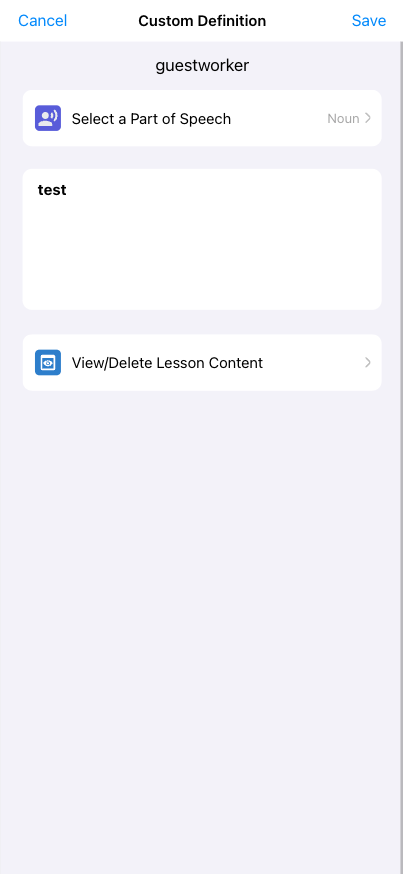
- Users can now create personalized lesson content using AI by providing a Custom Definition and Part of Speech.
- Adding a Subject is optional and can be done through the interface to further refine the content.
- A status indicator shows when AI is generating content—users should wait until it completes, though the process can be cancelled at any time.
💡 This feature helps automate content creation for custom vocabulary, making it easier to support personalized word learning.
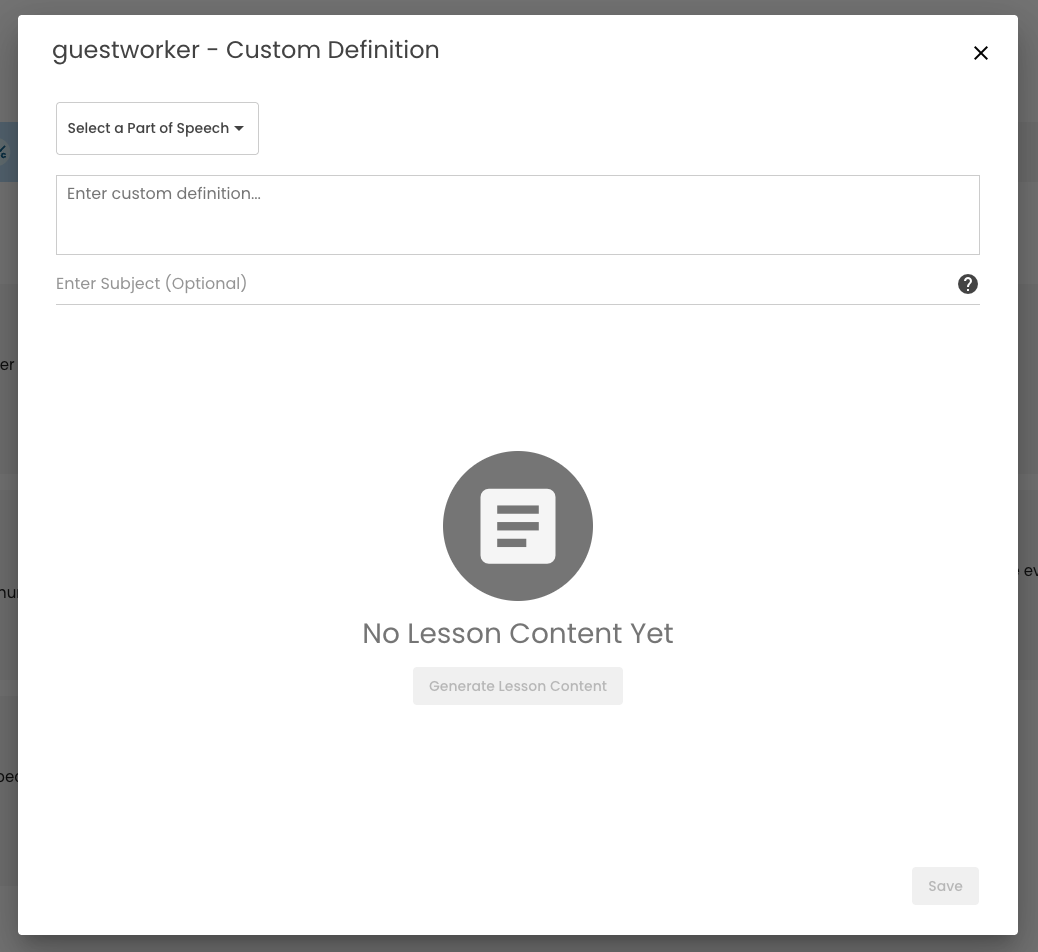
- Users can delete the generated content and regenerate a new one if they want to refine or revise the lesson output.
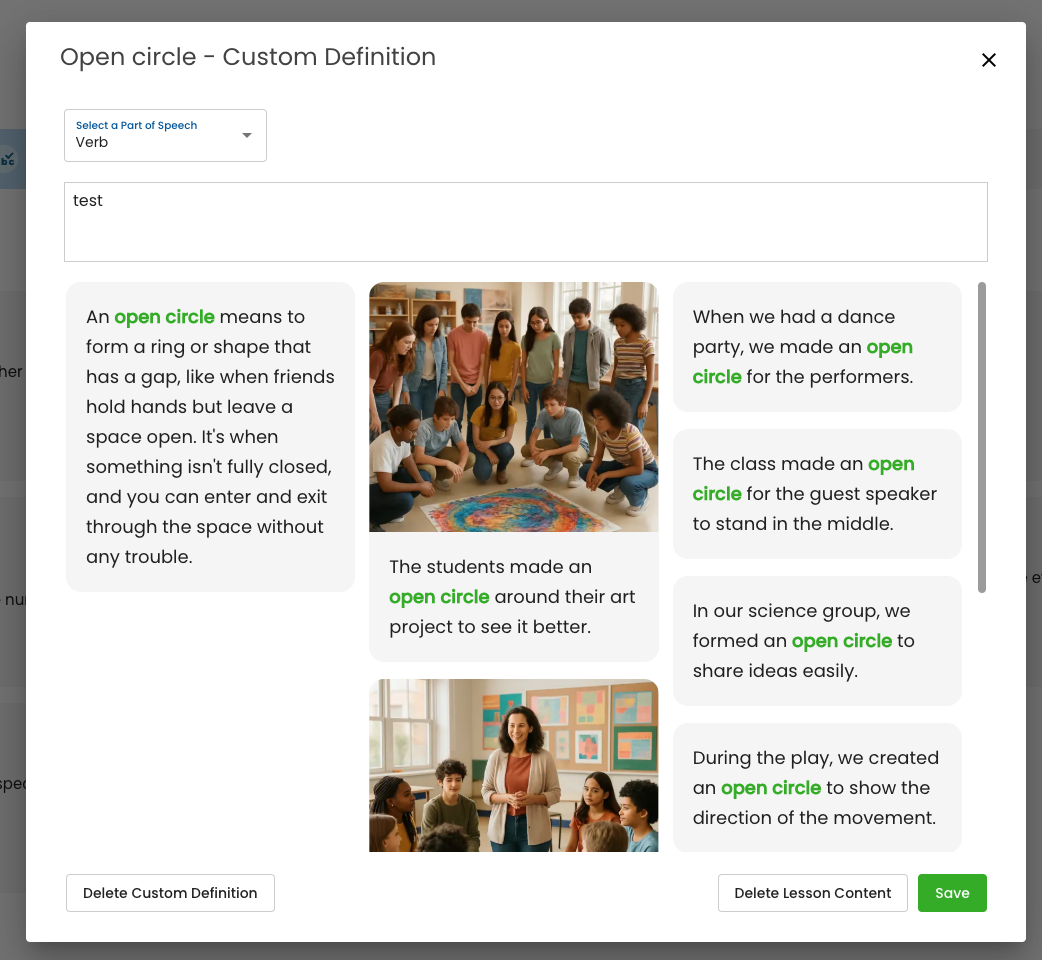
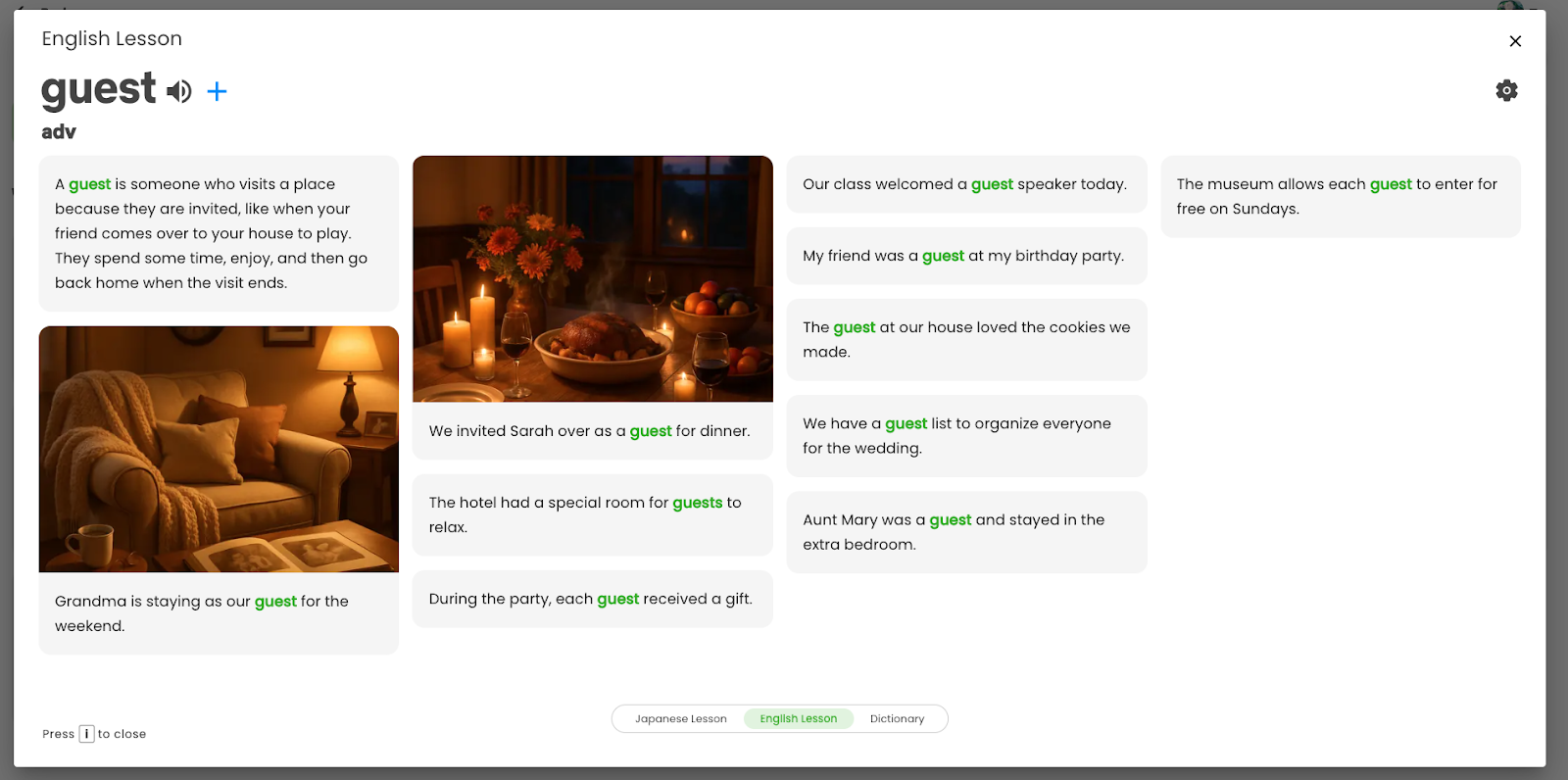
- Once the Custom Definition is saved. It will automatically change the “English Lesson” tab in Word Info.
- For Mobile, this will be the initial screen:
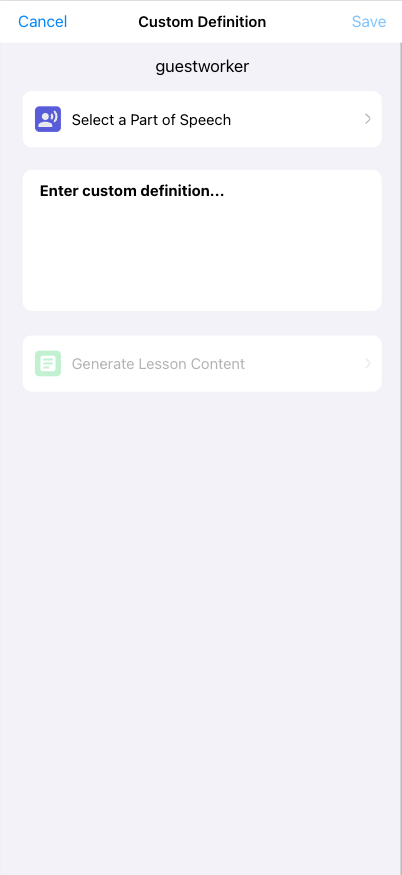
- Generate Lesson Content will be enabled once the user inputs both Parts of Speech and Custom Definition.
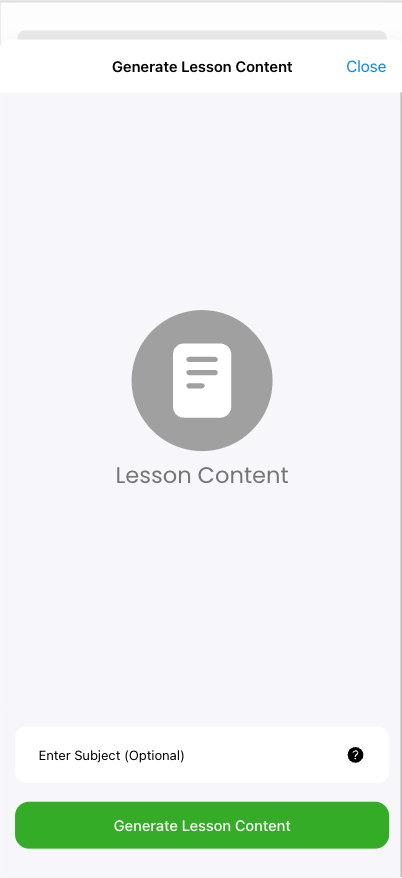
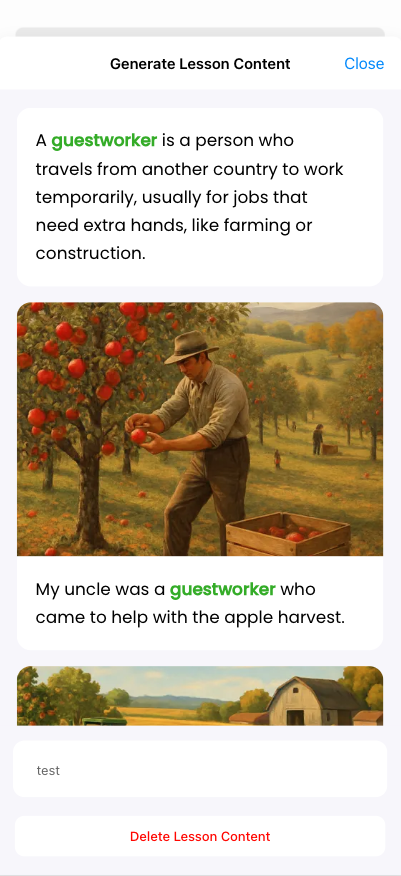
- Once content has been generated, users will see View/Delete Lesson Content options.
Wordela Navigation Improvement
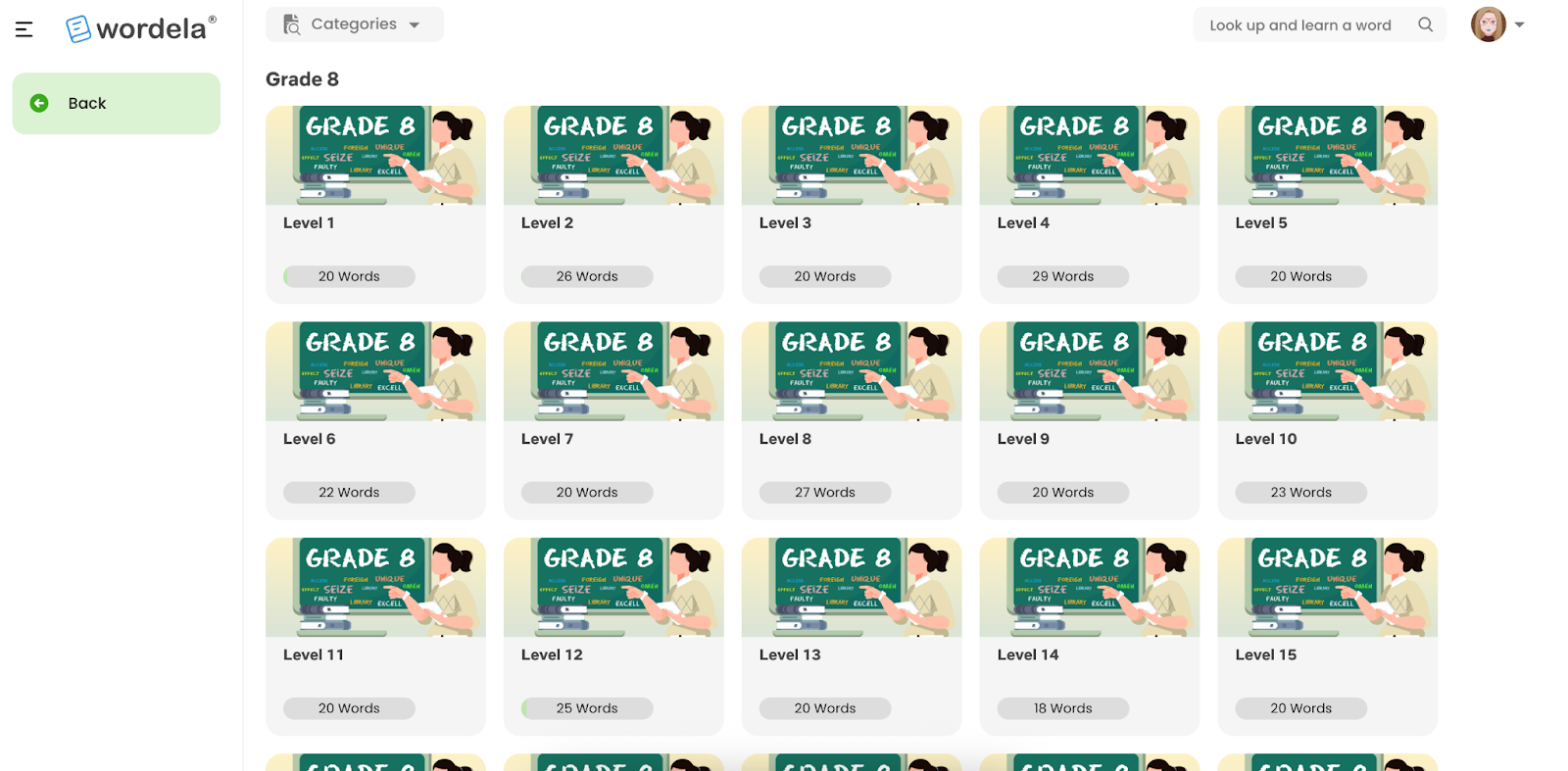
Navigation has been improved on the Word List Set screen to enhance usability and workflow.
- The full app navigation and a Back button are now visible, making it easier to return to previous sections or move across the platform.
Before:
After:
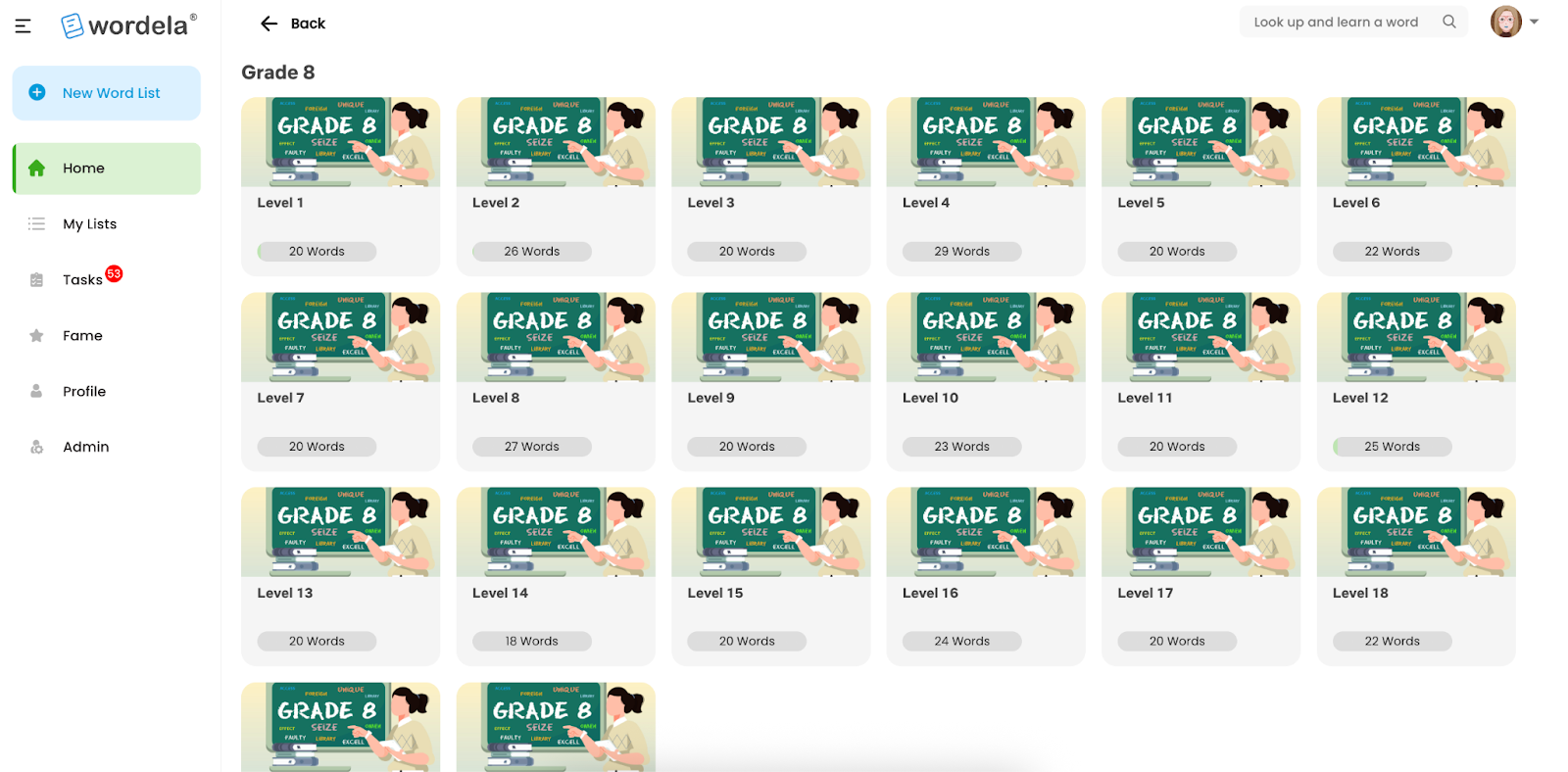
- Once the user selects a category and clicks home again, the category dropdown is cleared.
- Word list home view is displayed in full screen, and a back button is added for easy navigation.
Before:
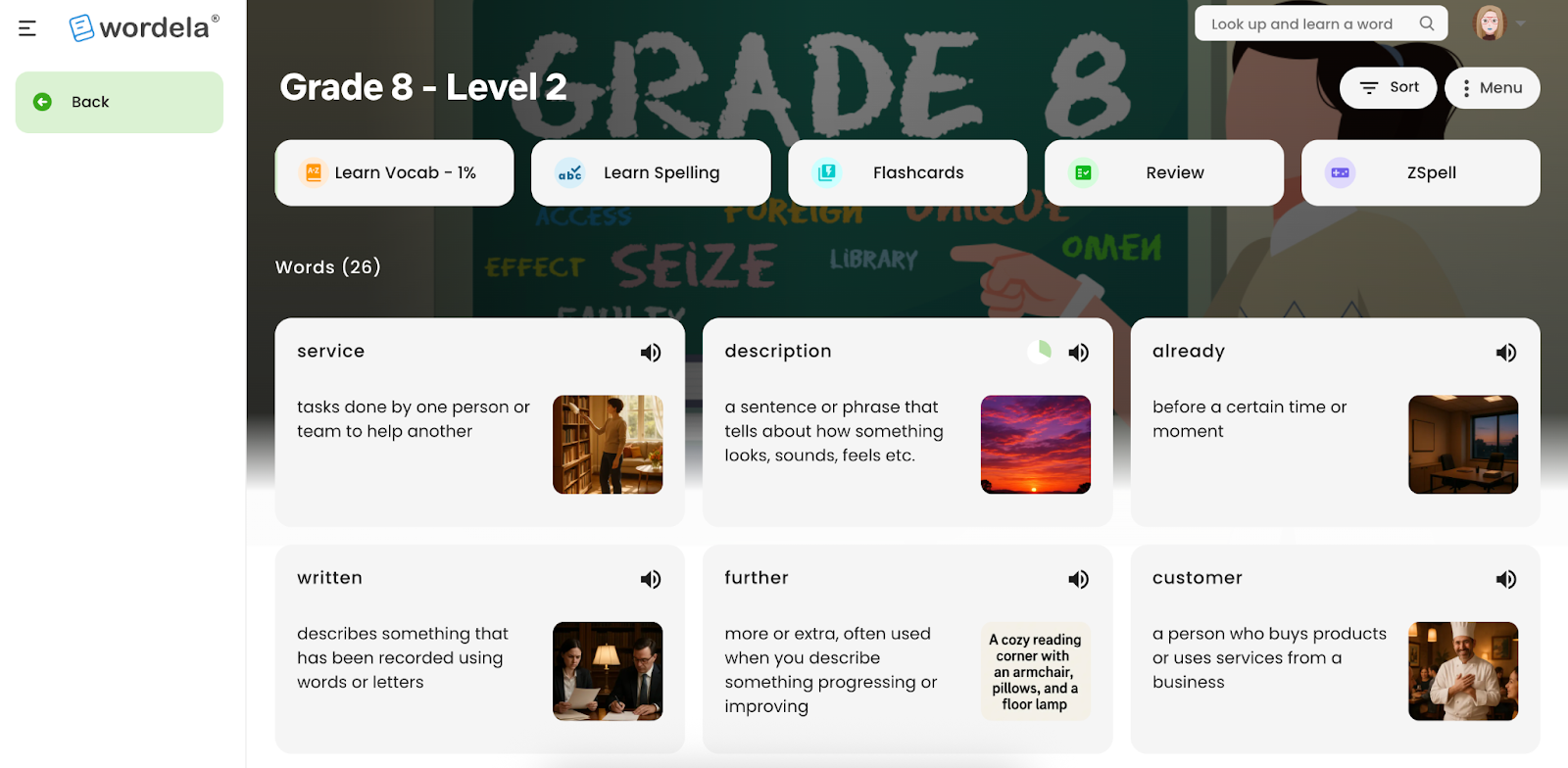
After:
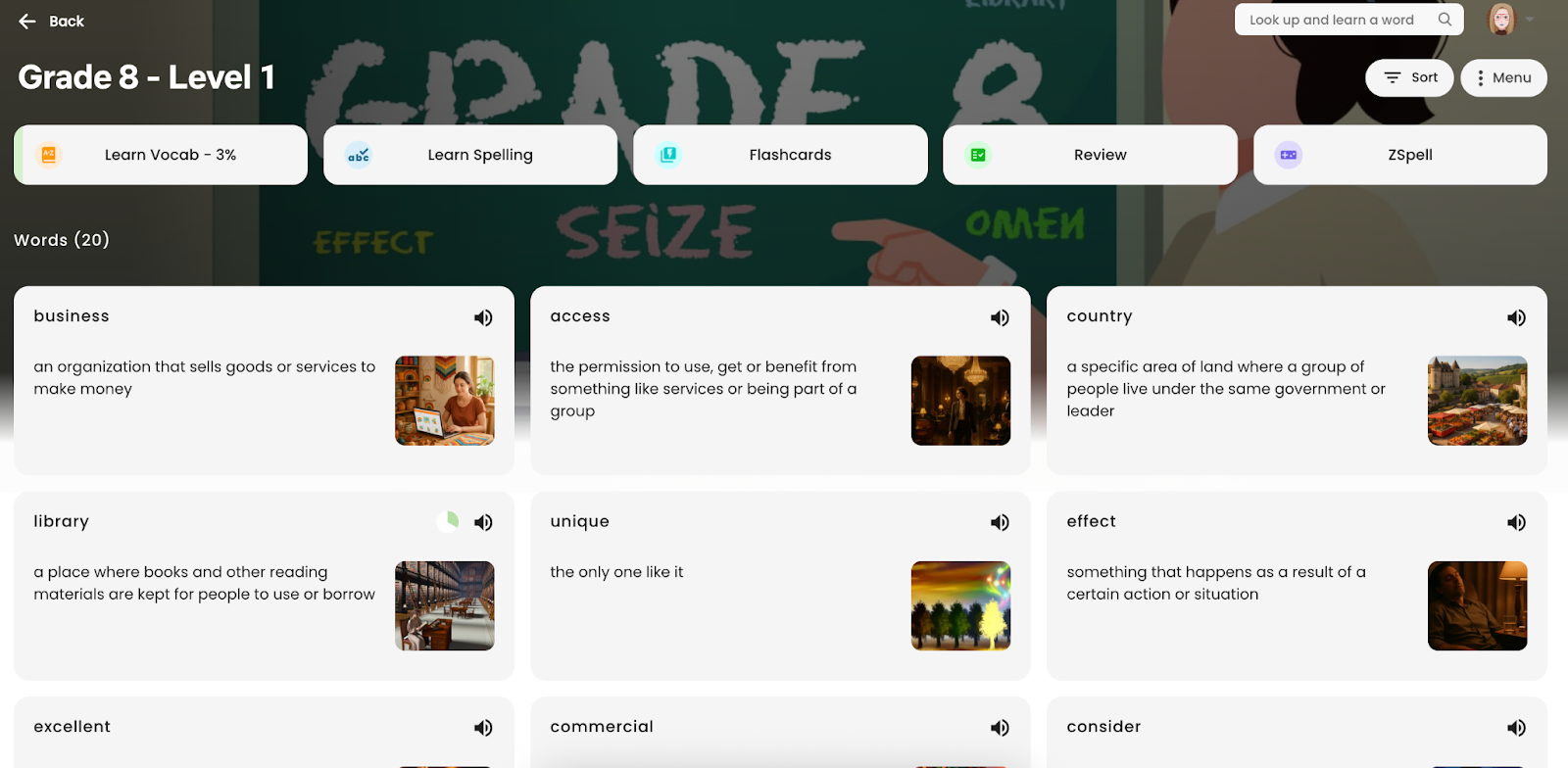
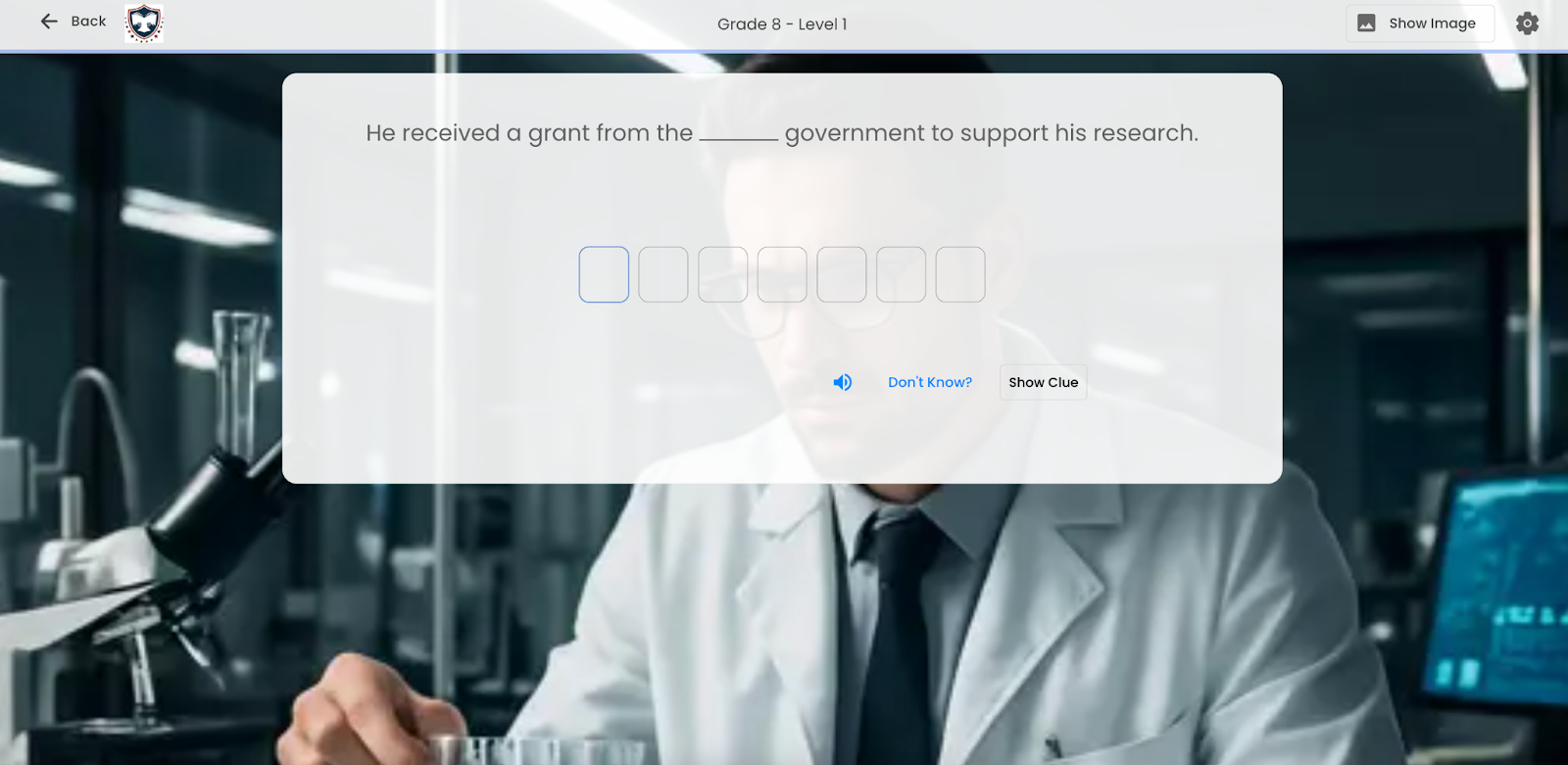
- If the user selects an activity from the word list home view, the back button text is displayed as “Back”.
Example (Learn Spelling):
Minor User Interface Updates
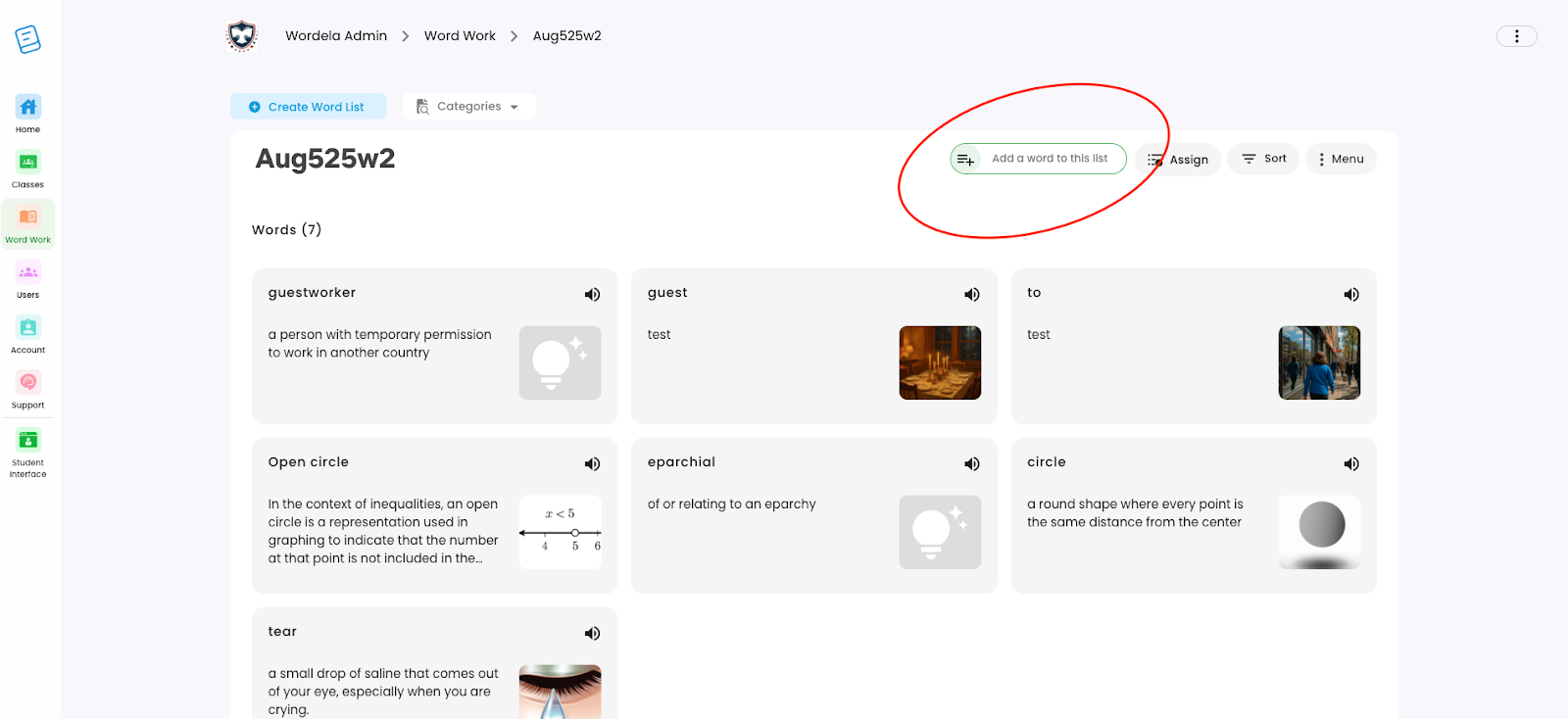
Enable Quick Add to List in Admin Interface
- A new “Add Words to this List” button has been added to the admin view for faster list management.
- Admins can now quickly add words without leaving the page—making list creation more efficient and user-friendly.
Looking Ahead
With each update, Wordela continues to evolve into a more flexible, intuitive, and educator-friendly vocabulary platform. The August improvements—from AI-powered custom definitions and Quick Add functionality to navigation enhancements and school-based leaderboard views—are designed to streamline content creation, support personalized learning, and strengthen school-level control.
More updates are already in progress, focusing on improved reporting tools, smarter word recommendations, and expanded curriculum integrations. As user feedback shapes the roadmap, Wordela remains committed to making vocabulary learning more meaningful and accessible.
Until then, explore the new features, simplify your workflow, and keep building confident word learners—one list at a time.