
Wordela is a dynamic, continuously evolving platform. Backed by a dedicated team of engineers, educators, curriculum specialists, and UX designers, we’re committed to delivering meaningful updates that enhance both teaching and learning. Here’s what’s new:
What’s New?
Custom Background Images
Wordela now supports background images, allowing users to personalize their learning space. Backgrounds can be updated from the Edit Profile page, with options to choose from preset images or upload a custom image.
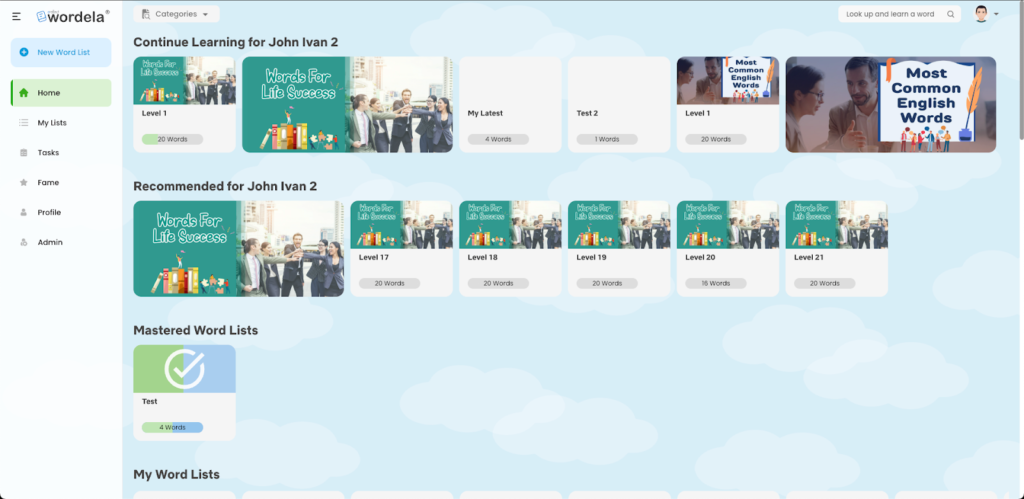
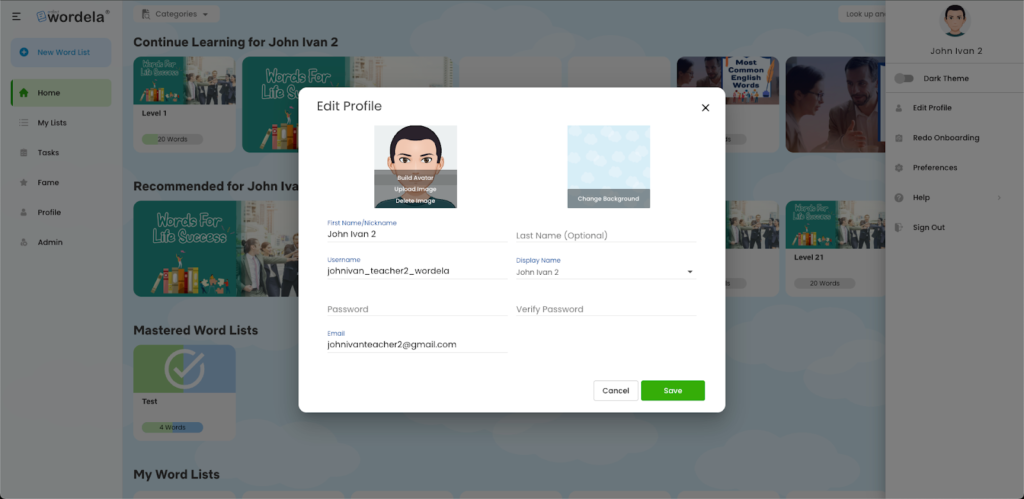
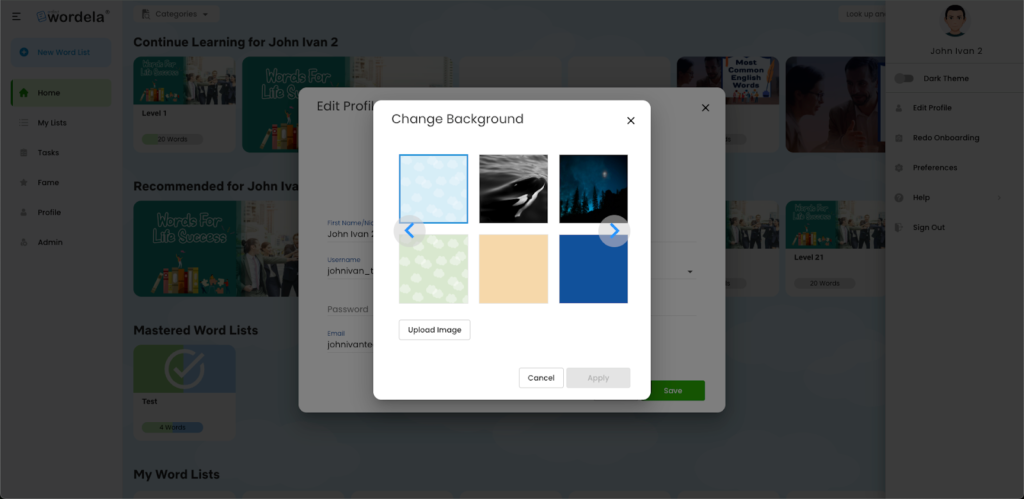
This feature applies to all Wordela accounts.
Vocabulary and Spelling Progress Reports
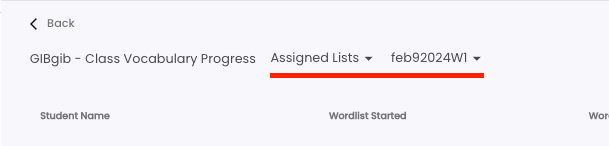
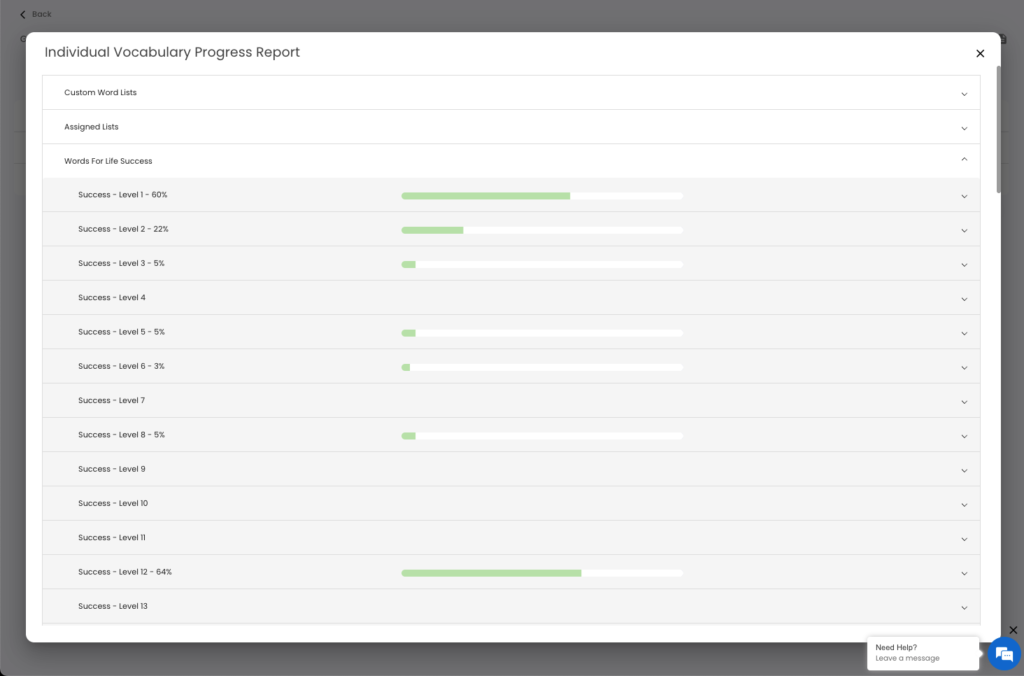
Class Vocabulary Progress and Class Spelling Progress reports are now fully available. Both reports share a consistent layout, making it easier to review class-wide performance and navigate between reports. Selecting a category or wordlist updates the table, and clicking a student’s name opens their individual progress report.
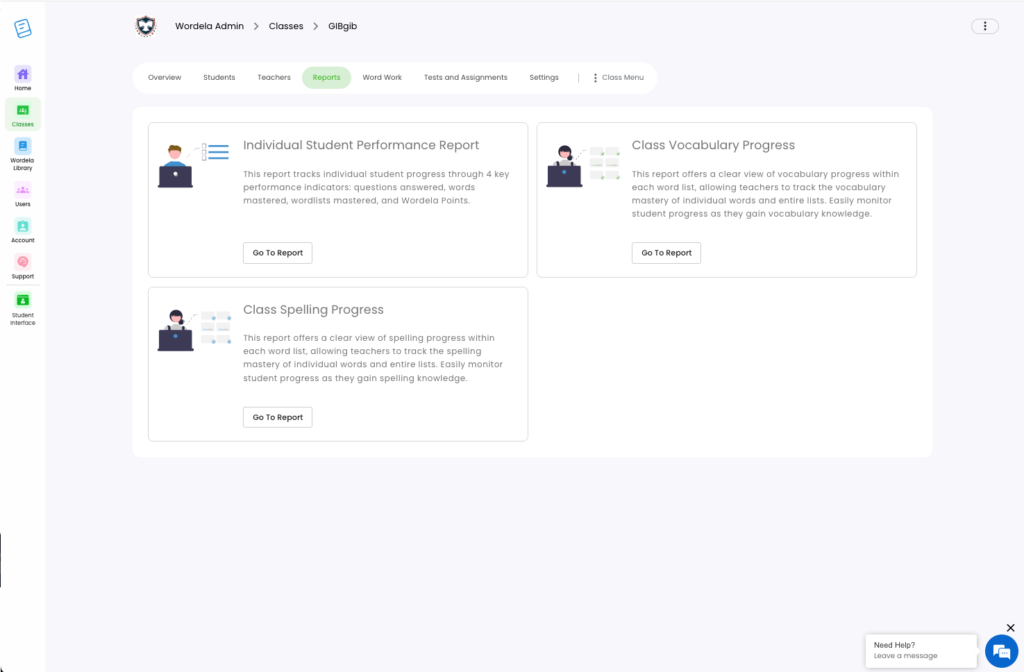
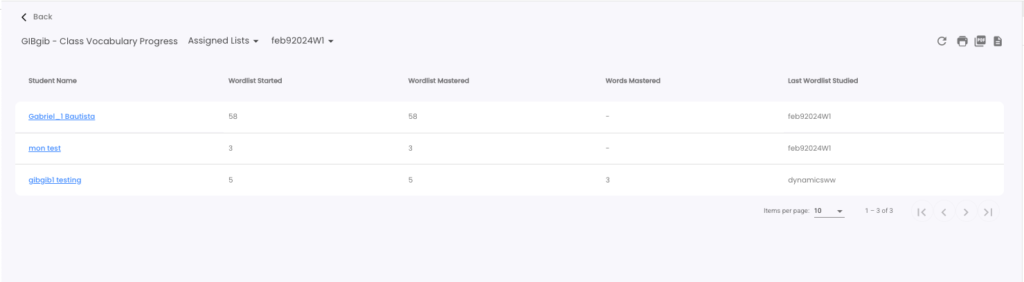
To get started, choose a category or wordlist to update the table.
Click on any student’s name to open their Individual Vocabulary/Spelling Progress Report.
This feature applies to Wordela EDU accounts only.
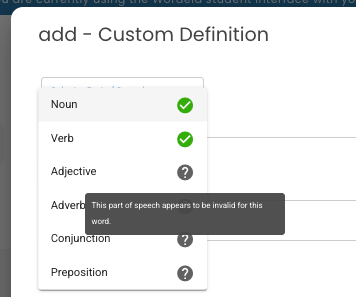
Smart Part-of-Speech Selection for Custom Definitions
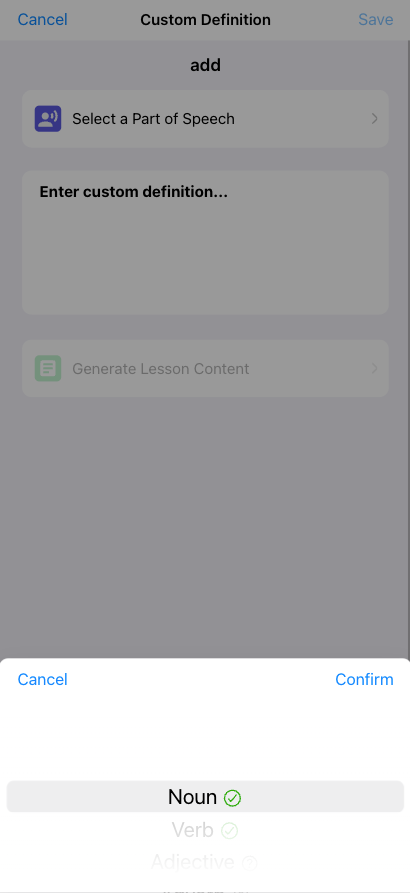
The custom definition workflow has been updated to display available parts of speech for each word clearly. This helps ensure definitions are created using the correct grammatical context.
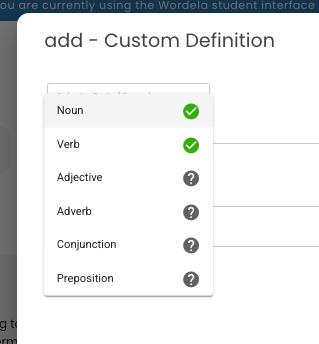
For Mobile:
This feature applies to all Wordela accounts.
Minor Interface Improvements
Custom Definition Improvements
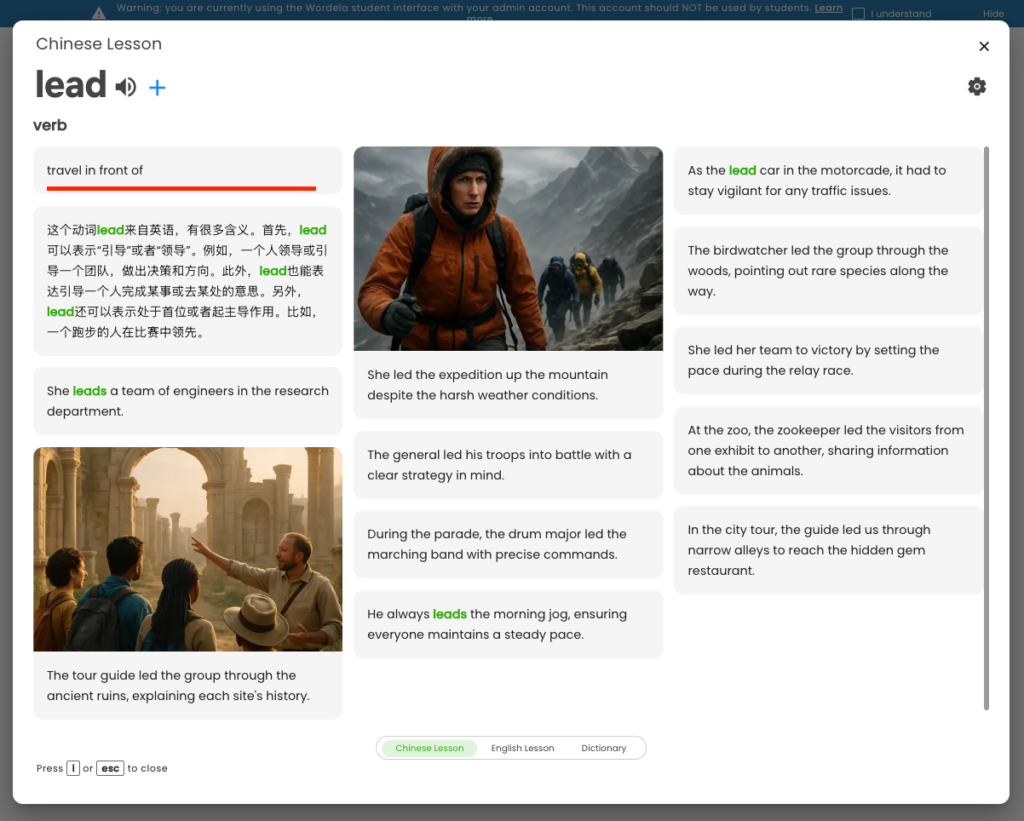
Custom definitions are now added before lessons begin and appear in the word information dialog. Audio for custom definitions is also included during playback, ensuring consistency between text and audio.
Ignore Punctuation When Adding Words
Punctuation is now automatically ignored when adding words, helping keep word lists accurate and consistent.
This feature applies to all Wordela accounts.
Looking Ahead
With this update, Wordela continues to refine the learning experience through thoughtful usability improvements. Enhancements to custom definitions and word handling are designed to improve lesson preparation, enhance word interactions, and ensure more consistent audio support across the platform. Together, these changes help ensure a more reliable and intuitive experience for both educators and learners as vocabulary and spelling instruction progresses.